

Organising an event
Replay and tutor groups
Reviewing a stage or a training ride in the Studio - map with the actual tracks, RoadBook following along, charts, mistakes explained, section comparison, comments and shared links - and the tutor's training groups.
The replay puts everything that happened back in order: where the rider went, at what speed, which note they were reading, what they touched in the app and where they lost time. It is used by the organiser and their team after a stage, by the tutor with their students and by every rider on their own rides.
It opens from Replay in the Studio bar, from the event's Replay tab or from a rider's details in the results (Open the replay).
The player
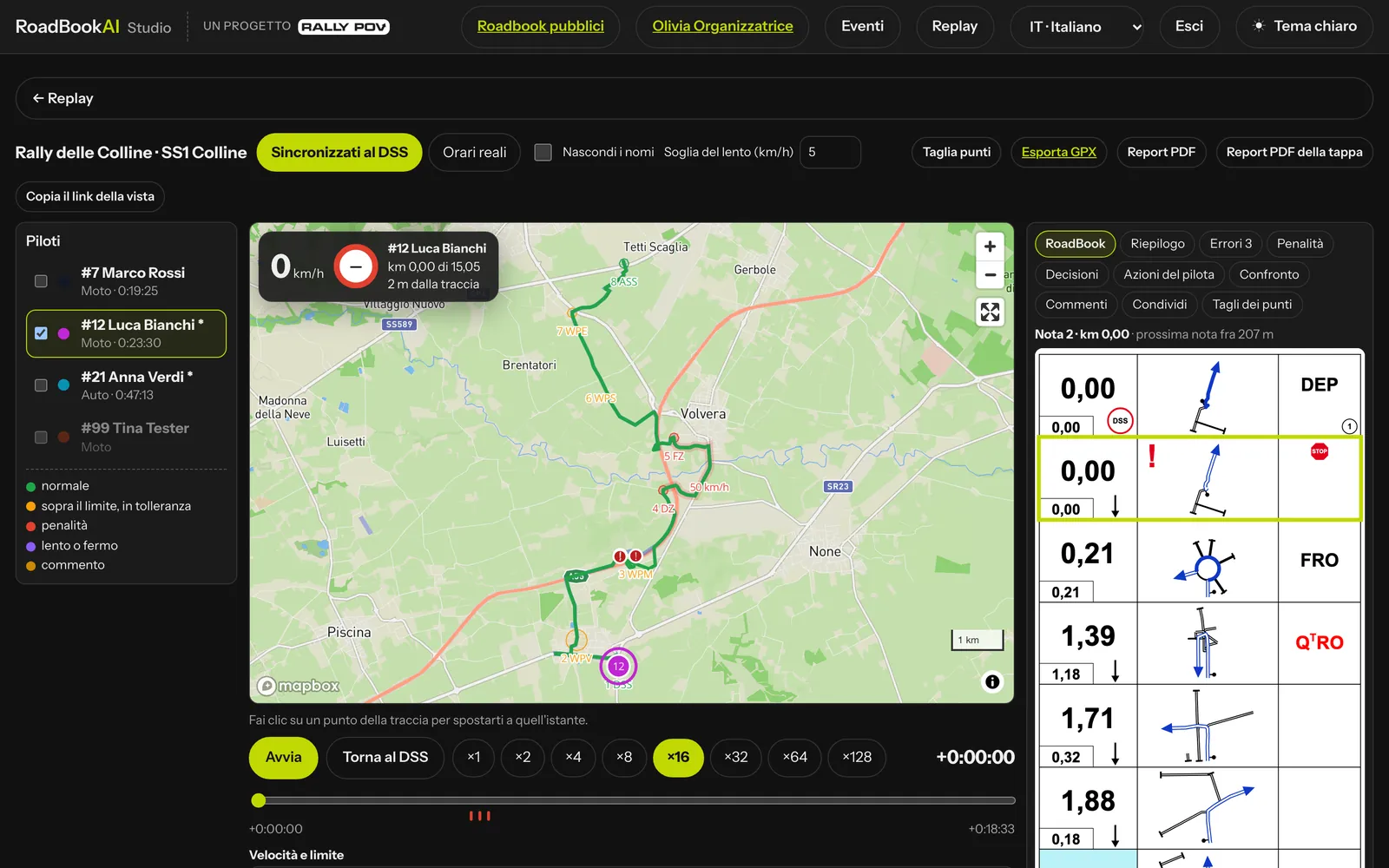 On the left the riders, in the centre the map and the time bar, on the right the RoadBook and the panels.
- Map with the roadbook track, the waypoint radii, the speed zones, the race STOPs and the actual tracks of one or more riders (up to 8). The track of the chosen rider is coloured point by point: green normal, orange over the limit but within tolerance, red penalty, purple slow or stopped (the "slow" threshold can be adjusted).
- Playback synced at the DSS (everyone starts together) or at real times, from ×1 to ×128. The time bar has marks for mistakes, warnings, app actions and comments; a click on the track takes you to that moment, Back to the DSS to the beginning, a second click on the rider's name follows them.
- Live speed and limit, km on the track and distance from the correct track.
- RoadBook following along next to the map, with the note of the current position highlighted and "next note in N m"; a click on the note takes you to the spot.
- Synced charts: speed and limit, distance from the correct track, time from the DSS along the km (to see where time is lost).
The panels
| Panel | What it contains |
|---|---|
| Summary | times, km, waypoints, penalties |
| Mistakes | the mistakes in plain words: "Off course at km 4.34 for 603 m · note 10: left, ET FPP", "WP 3 WPM missed, passed 202 m from the point" |
| Penalties | by type, with one click to go to the spot; next to a penalty decided by hand, the decision with its reason |
| Decisions | race control's decisions on this rider (only if there are any): type, what it refers to, calculated and decided value, reason, "for everyone", who and when; one click takes you to the spot |
| Rider actions | what they did in the app: odometer corrected, waypoint skipped manually, moves in the RoadBook, zoom, off-course alarm and back-track |
| Comparison | the time between two waypoints or every 5 km, the best in green and the sentence "where they lost the most time" |
| Comments | notes pinned to a point of the track, visible to the rider in their replay |
| Share | a read-only link, with names hidden on request and an expiry |
| Point cuts | for organiser and clerk of the course: Cut points, click on the track, reason, immediate recalculation and undo; "show discarded points" displays the raw run |
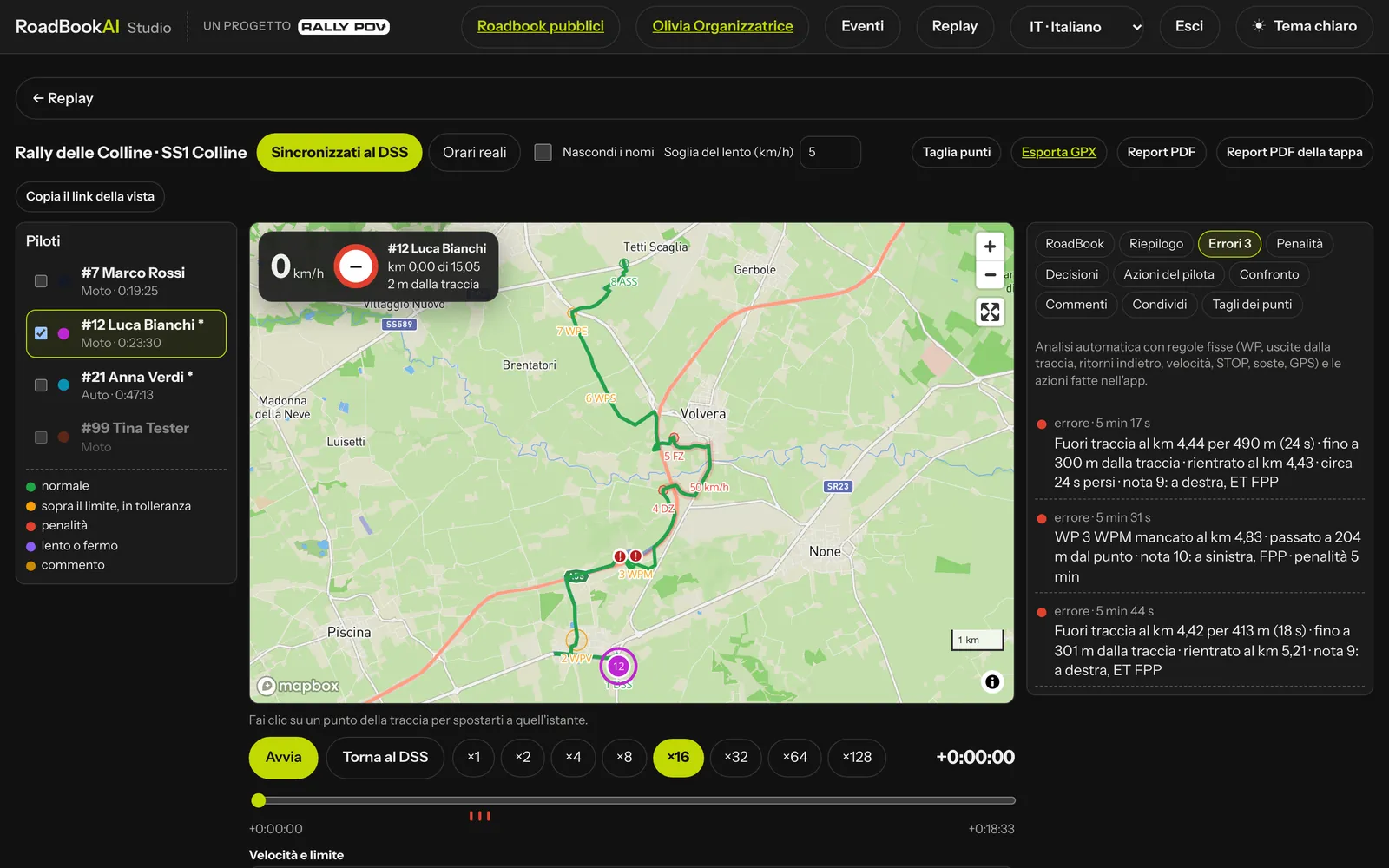 Each mistake says where, how much and what the note said.
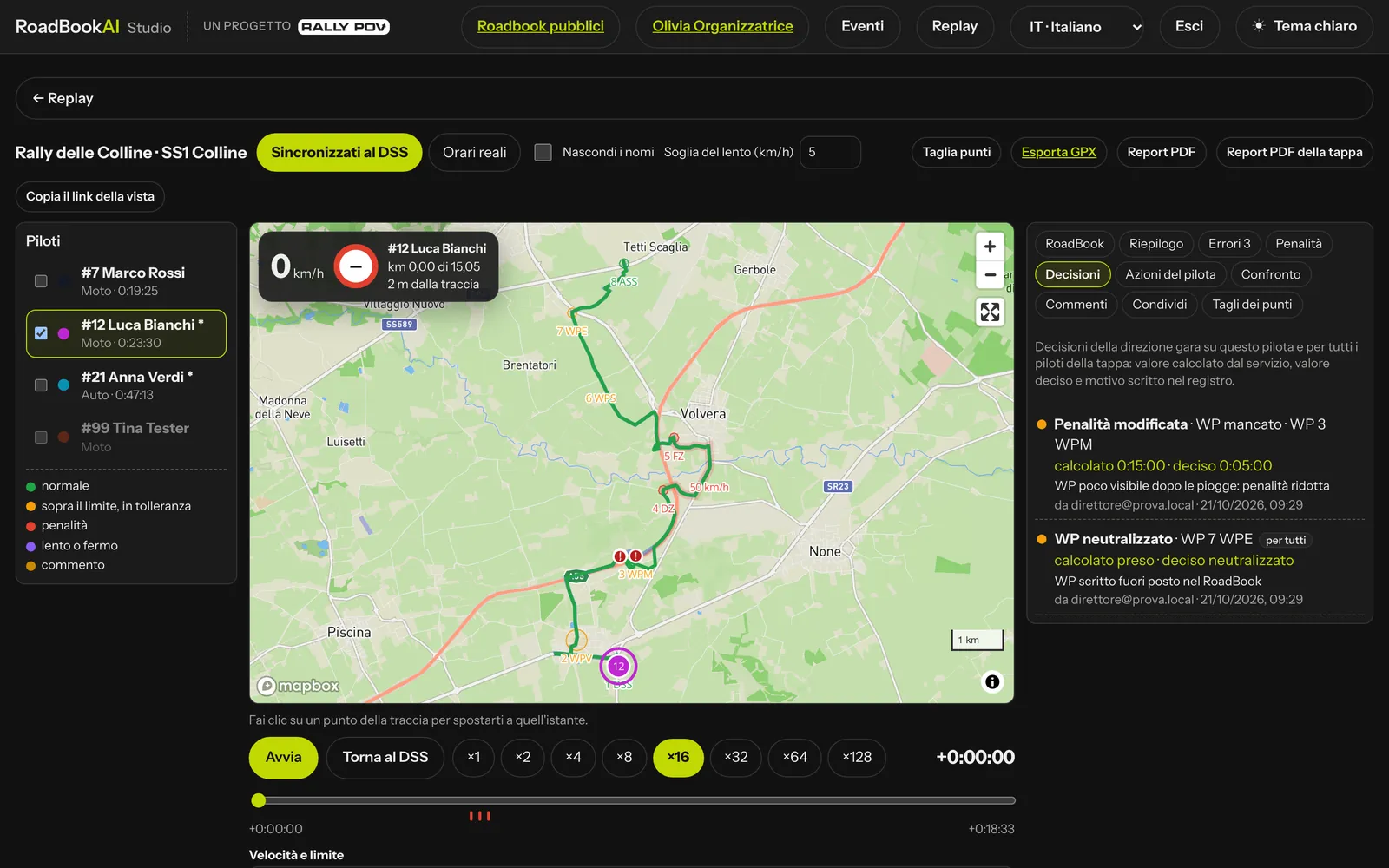 Race control decisions: calculated and decided, with the reason.
On top of that: Hide names (numbers only), Copy the link to this view (riders, moment and speed stay in the address) and Export GPX with the correct track, the riders with time and speed, the waypoints, the mistakes and the comments.
The rider report in PDF
For the debriefing there is a PDF report to print and hand to the rider. It is generated by the service from the recorded data, in the language of the person downloading it, with the signature "RoadBookAI · a Rally POV project"; each rider starts on a new page.
| Who | Race | Training |
|---|---|---|
| Organiser and team | all riders, once the stage is closed (after the last maximum time): PDF report in the replay and in the rider's details, Stage PDF report (all in one file) in Results and in the replay | — |
| Tutor | — | the students' rides they can see: PDF report for each ride under Students, or PDF report · RoadBook (n) with all the rides made with the same RoadBook |
| Rider | only their own, if the organiser allows it | their own rides, always (in groups the tutor decides) |
Riders download their own report (only their own), from their personal area on the website or from the app (stage summary or history, PDF report), when it is allowed:
- in events the organiser decides, in the event's Replay tab, Rider report panel: Riders can download their report No (default), Once the stage is closed or With the final classification, with a Rule per stage if needed;
- for their own training rides the report is always available;
- in training groups the tutor decides, with Students download the PDF report of their rides (default yes).
In their personal area on the website the rider finds their stages under My races, with Open the replay and PDF report when it is allowed; otherwise a line says when it will be ("The report will be available once the stage is closed").
It contains:
- header (event or group, stage, rider, number, class, vehicle, date, rules profile) and a debrief in short sentences: missed WPs, the longest stop, off-course episodes with the time lost, speed pulses, LateNotes;
- time: start, finish, total, estimated ideal time, moving, stopped, lost or gained off course, neutralisations;
- distance and speed: km ridden and official km, averages, top speed, waypoints validated and missed, and two items that say a lot about navigation:
- KM EXTRA, the extra distance ridden compared with the RoadBook, section by section;
- KM CUT, where the rider shortened the course and by how much;
- off course: for each episode how much time it cost, or gained;
- waypoints: each one, validated or missed, with the distance from the centre at which the rider passed;
- stops: where and for how long;
- speeding: zone by zone, pulses, maximum excess and penalty; then the list of penalties with the total (indicative in training) and the race control decisions (calculated, decided, reason; WPs decided by hand have an asterisk);
- charts: time per speed band, speed along the km with the zones, map of the track ridden against the course with waypoints, cuts, stops and off-course episodes.
Who sees the replays of an event
In the event's Replay tab the organiser chooses Who sees the replays:
- Own only (default): each rider sees their own; organiser and team see them all;
- Everyone's at the end of the event: the others open once the event is over;
- Everyone's with a delay of N minutes (default 10): the others with the data up to N minutes ago; after the stage is closed, all the data.
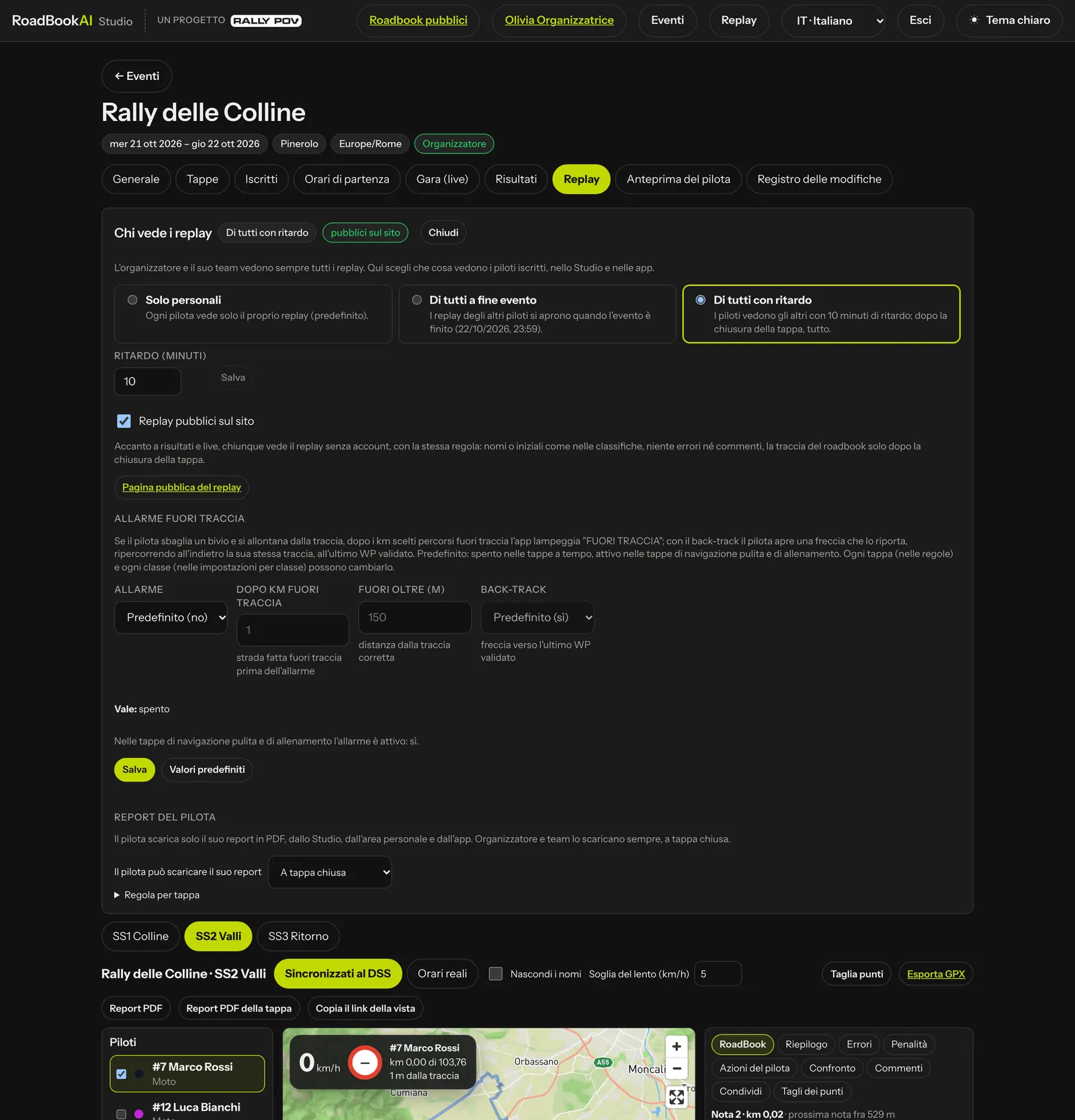 The event's replay settings: who sees them, public replays, off-course alarm and rider report.
With at the end of the event or with a delay you can switch on public replays on the website: a light page without an account, with the tracks and the table of riders, always with names or initials as in the results, never mistakes, penalties or email addresses, and the roadbook track only after the stage is closed.
The people who comment are the organiser, the clerk of the course and the event tutor, the student's tutor on the rides they can see and the rider on their own replay. The timekeeper, read-only members and people opening a shared link do not comment.
The tutor's training groups
The tutor role is given by an administrator. The tutor, from Replay › Training groups, creates a group (name and description) and invites students by email, including people who do not have an account yet: they find the invitation when they sign up with that address.
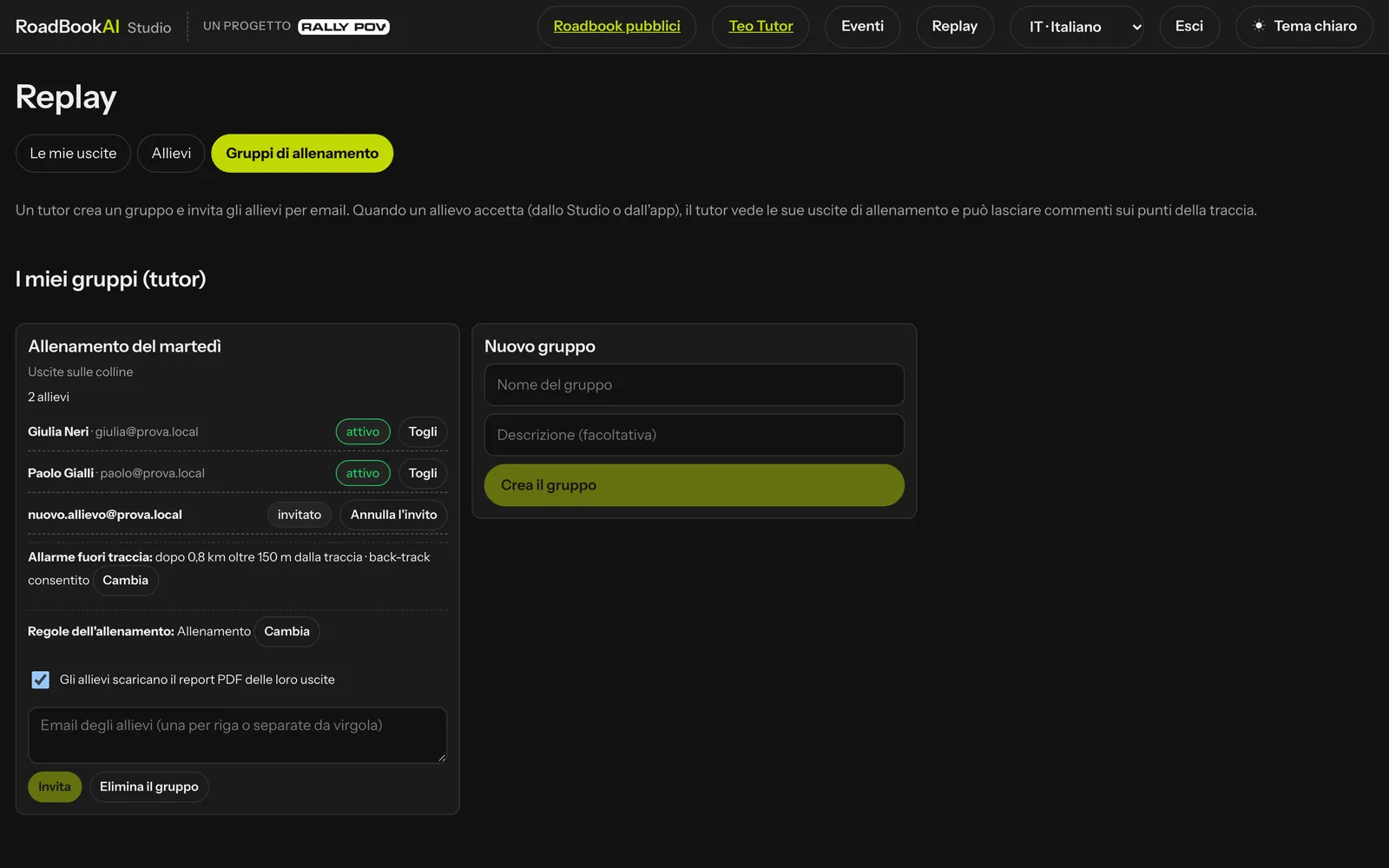 A group with two active students and a pending invitation.
- The student accepts or declines from the Studio or the app, and leaves whenever they like.
- The tutor sees the training rides made since the student joined the group: not races, not recces, not those in Simulation, not those the student has hidden. The student can also share manually an earlier ride, and withdraw it.
- For each group the tutor chooses the off-course alarm (km and distance, back-track yes or no) and the Training rules (Change: the Training profile or one of their own profiles, with LateNote and automatic scrolling allowed or not): the student's app uses them on training rides and the replay uses them for the analysis.
- With Students download the PDF report of their rides the students download their own report; when it is off, only the tutor downloads the report of the rides the group can see.
Under Students the tutor finds each student's rides, with km, time, waypoints, mistakes and comments; the replay of a training ride has the same tools as events, with the analysis against the roadbook used.
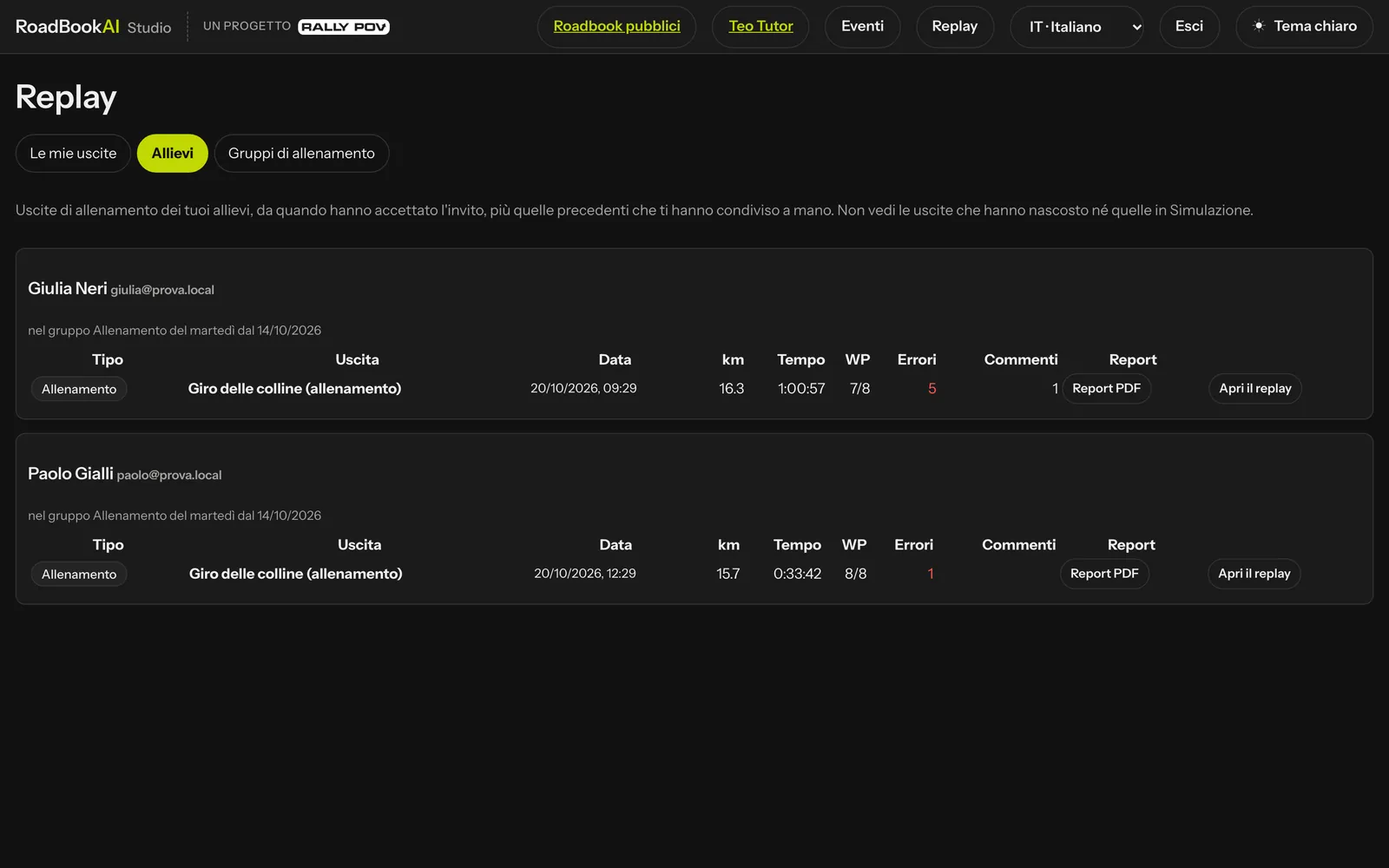 The students' rides, with the number of mistakes and comments.
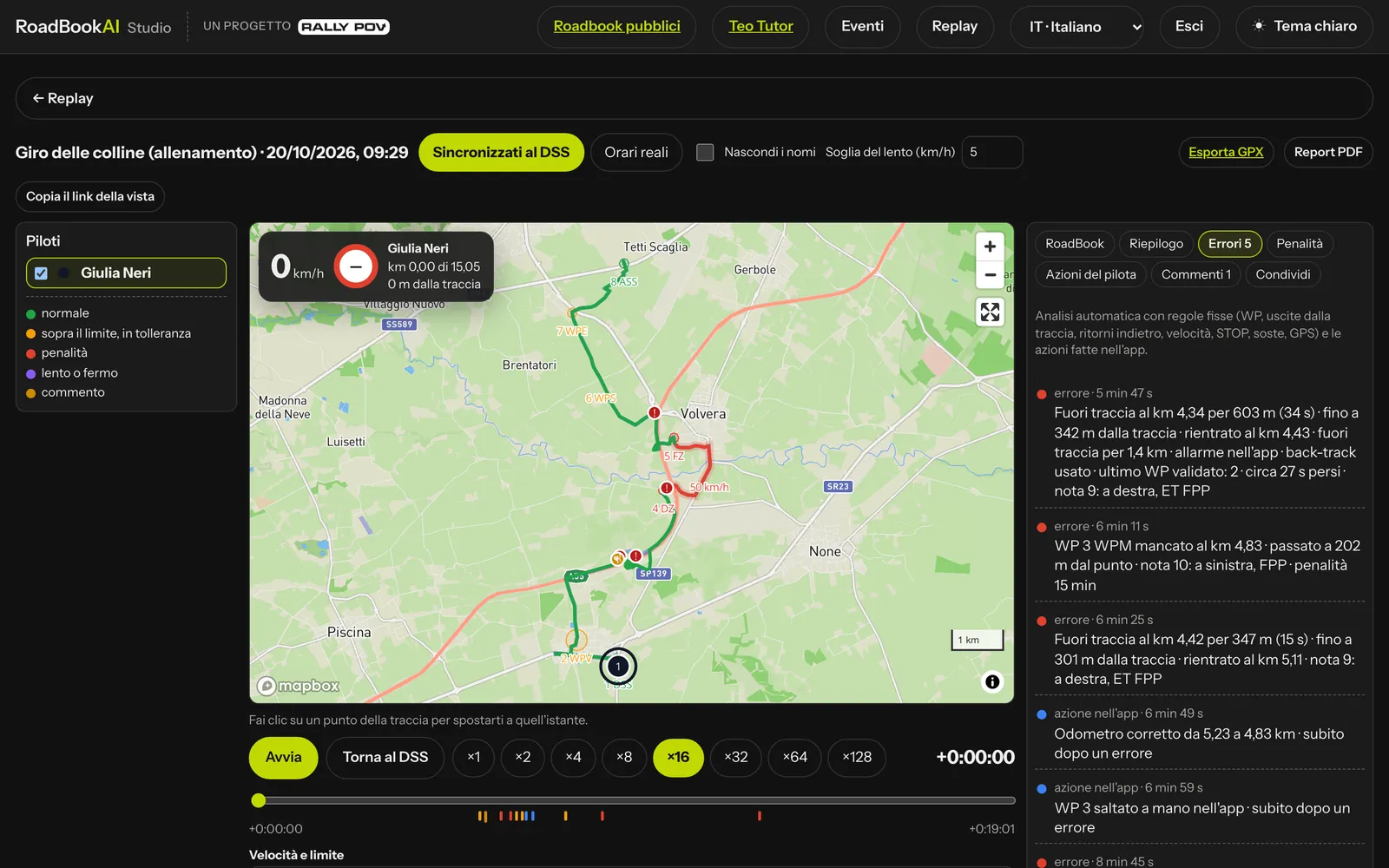 A ride gone wrong: off course with the app's alarm and back-track.
The rider and their rides
Every rider finds under Replay › My rides the stages they have raced and the training rides sent by the app, with comments, the tutors who can see them and the Report column (the PDF, or the reason why it is not there yet); from here they choose Hidden from tutors or share manually. The same replay also opens in the app, see Training and replay.
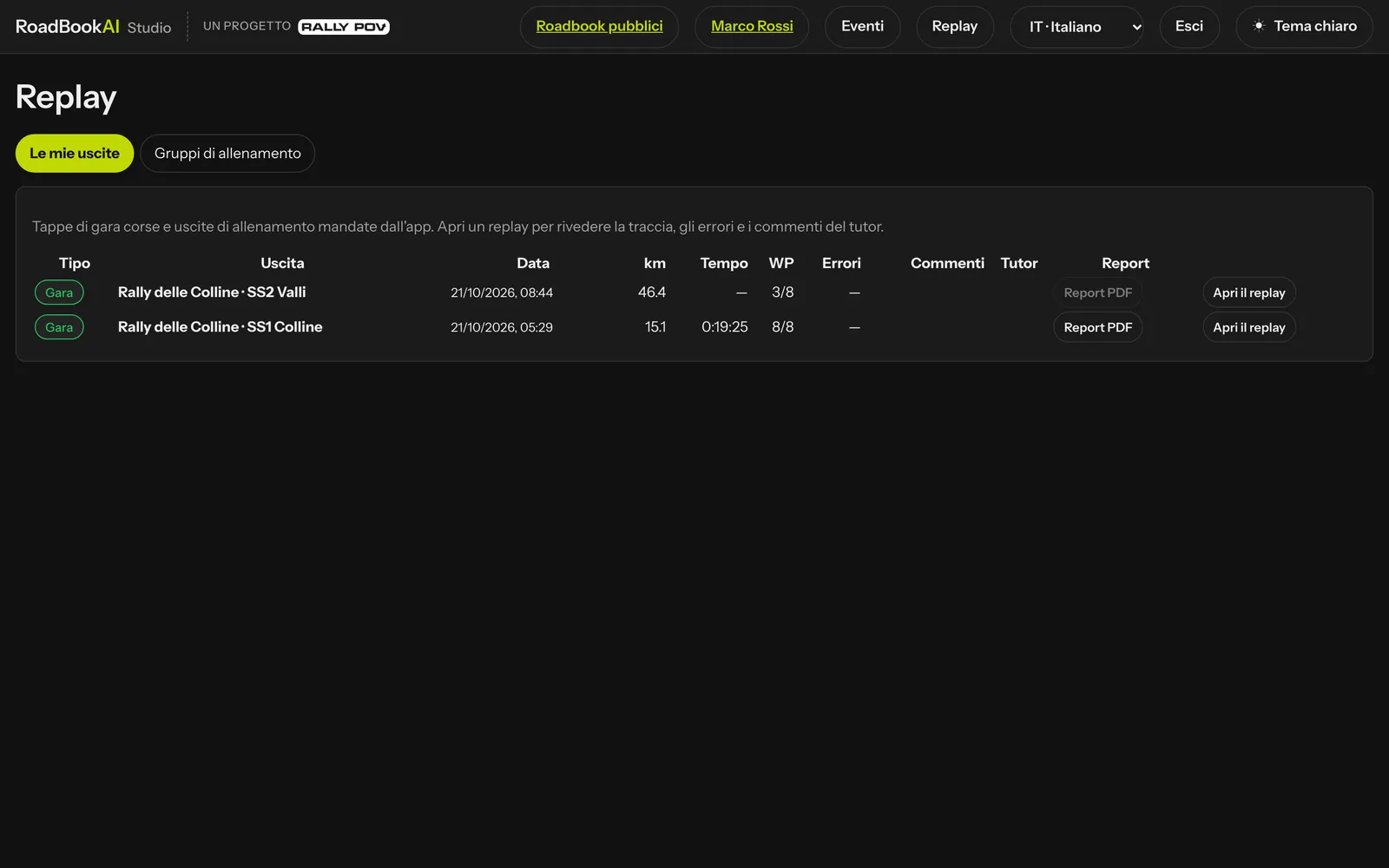 My rides: SS1 is closed and the report can be downloaded; SS2 is still open.
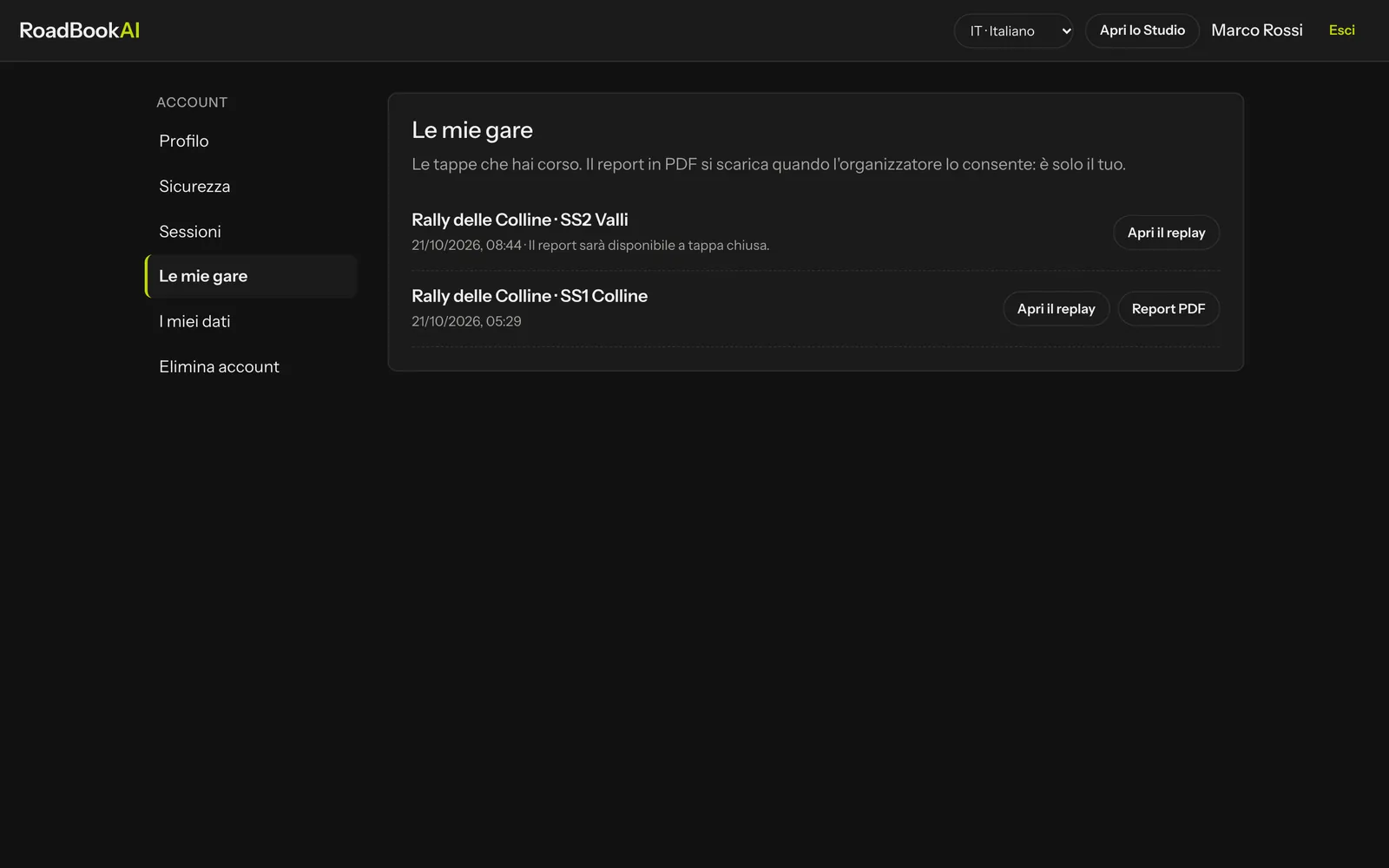 My races in the personal area of the website.