

Start here
Getting started
What RoadBookAI is, where to start if you organise, race or administer, how to get into the Studio and the journey from GPX track to the RoadBook in the race.
RoadBookAI turns a GPX track into a rally raid roadbook: notes with their drawing, CAP, annotations and waypoints, just like the ones you would draw by hand. The engine proposes, you review and decide. Then the roadbook goes onto the rider's phone, in the app, and becomes the cockpit of a race or a training ride, with the data going back to the organiser for results and replay.
As with any roadbook, it is confirmed on the ground before the race.
Where to start
| You are… | Read first | Then |
|---|---|---|
| Organiser | Create a roadbook and The Studio | Events and stages, Entrants, start times and unlocking, Stage rules, Race, live and results, Replay |
| Rider | The app: installation and sign-in and The cockpit | Settings, GPX navigation, Racing with the app, Training and replay |
| Tutor | Replay and tutor groups | Training and replay |
| Administrator | Users and roles | Jobs, maps and updates |
The whole guide can also be downloaded as a user manual in PDF.
What you need
- A GPX track of the stage or the ride (up to 20 MB). A track recorded by a GPS or drawn on a map are both fine: the engine never moves or modifies it.
- An account: access is by invitation, and you request it from the Request access page. If an organiser enters you in an event, you receive the invitation directly from them.
- A recent browser on a computer for the Studio: map, RoadBook and inspector sit side by side.
- A phone or tablet, Android or iPhone/iPad, for the app.
Getting into the Studio
- If you don't have an account yet, sign up: you confirm your email and an administrator approves the account (details in Account and security).
- Open the Sign in page, enter your email and password and, if you have turned it on, the two-step verification code.
- The library of your roadbooks opens, at
/studio/. The first time it is empty: press Create your first roadbook (or + New roadbook).
From the website you can go straight to the Studio with the Open the Studio button at the top right.
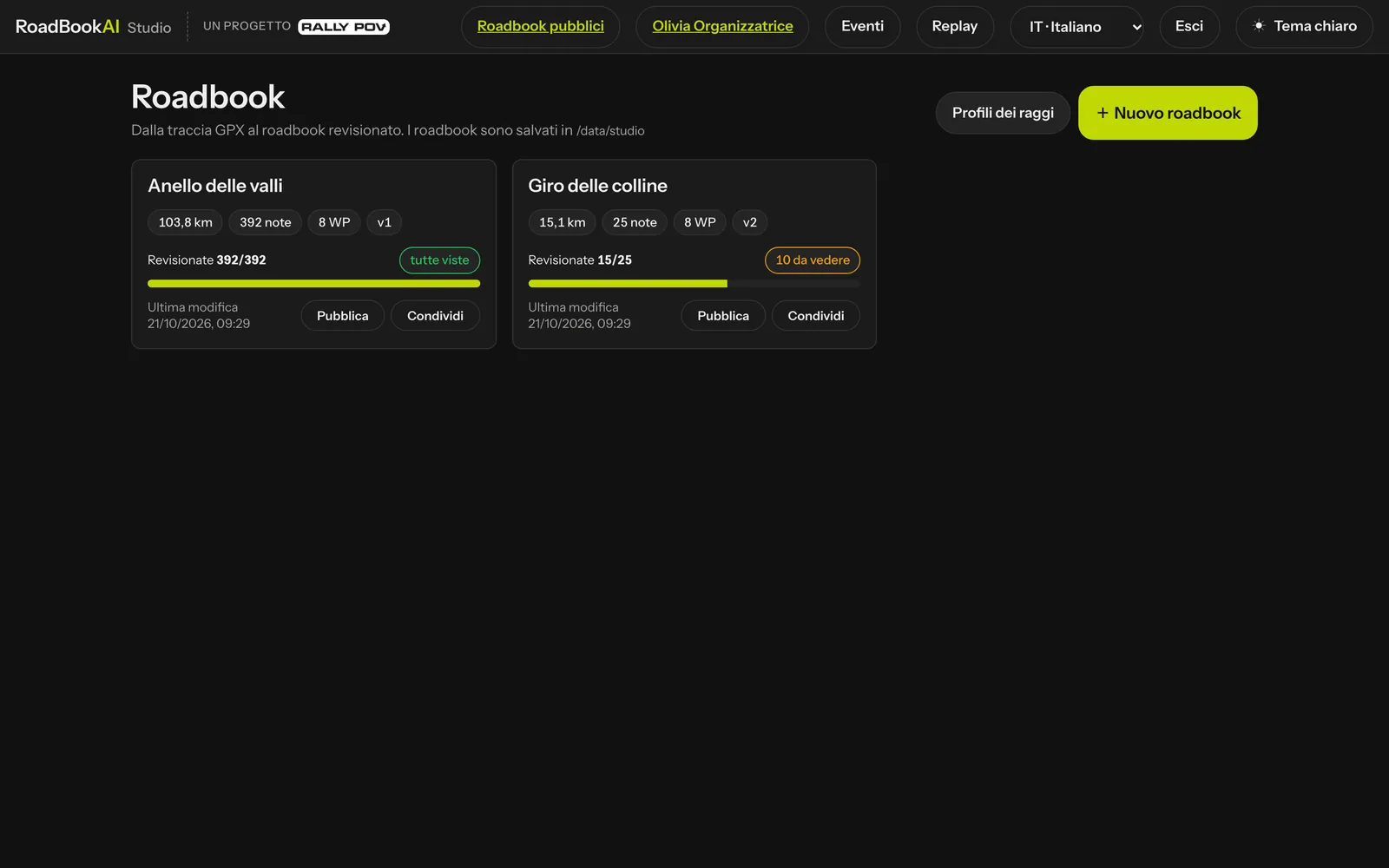 The Studio library.
From the track to the race
| Step | Where | What you do |
|---|---|---|
| 1. GPX | New roadbook window | upload the track, choose how many notes and the waypoint radii; the system takes care of the roads |
| 2. Roadbook | automatically | the engine proposes the notes; for a stage of about a hundred km a few minutes are enough |
| 3. Review | Studio editor | confirm, reject, correct, redraw, add notes and waypoints |
| 4. Versions and export | Save version and Export | save a version (MODIF and NEW NOTE are added automatically) and export RN2, PDF, OpenRally or the file for the app |
| 5. On the ground | recce with the app | record voice notes, upload them into the Studio and decide on the proposals |
| 6. Event | Events tab | freeze the roadbook for the stage, upload the entrants, assign the start times |
| 7. Race | riders' app, live, results | the roadbook opens at the right time on the phone, the data comes back for results and replay |
If you train on your own, you stop at step 5: the saved roadbook appears in the app under My roadbooks, or you choose a roadbook from the catalogue of public roadbooks.
The words used in this guide
- Note: one row of the roadbook, with total km, partial, drawing and annotation column.
- Note drawing: the junction as the rider sees it, with the direction of arrival at the bottom and the exit shown by the arrow.
- RoadBook: the column of notes in the Studio and in the app, drawn like the PDF Dakar.
- Status of a note: proposed (as the engine placed it), confirmed, edited or rejected.
- Stage, package, unlocking: a part of an event, the encrypted file that takes it onto the phone and the moment it opens.
The glossary collects them all.