

Organising an event
Events and stages
For the organiser - creating an event and accepting the joint controllership agreement, choosing classes and team, freezing the roadbook of each stage, giving riders the offline map, issuing a last-minute version and keeping the race data.
An event is the rally or raid you organise: it has its stages, its classes, its entrants and a team working with you. Each stage uses a roadbook reviewed in the Studio and frozen in a version that never changes again: that is the one that reaches the riders' phones, encrypted, and the one the service uses to calculate the results.
The full sequence, in order:
- you prepare the roadbooks in the Studio and save a version of each one (Versions and comparison);
- you create the event, the classes and the stages (this chapter);
- you choose the stage rules;
- you upload the entrants and assign the start times (Entrants, start times and unlocking);
- on race day you follow the live tracking and the results, then review everything in the replay.
Who can organise
The organiser role is given by an administrator (Administration › Users › Make organiser, see Users and roles). From then on Events appears in the Studio bar. During the trial period you request the role by writing to info@rallypov.it.
Creating the event
In Events press + New event and enter name, place, start and end dates, time zone and event language. The first time (and whenever the text changes) the window also asks you to accept the joint controllership agreement on race data (see below).
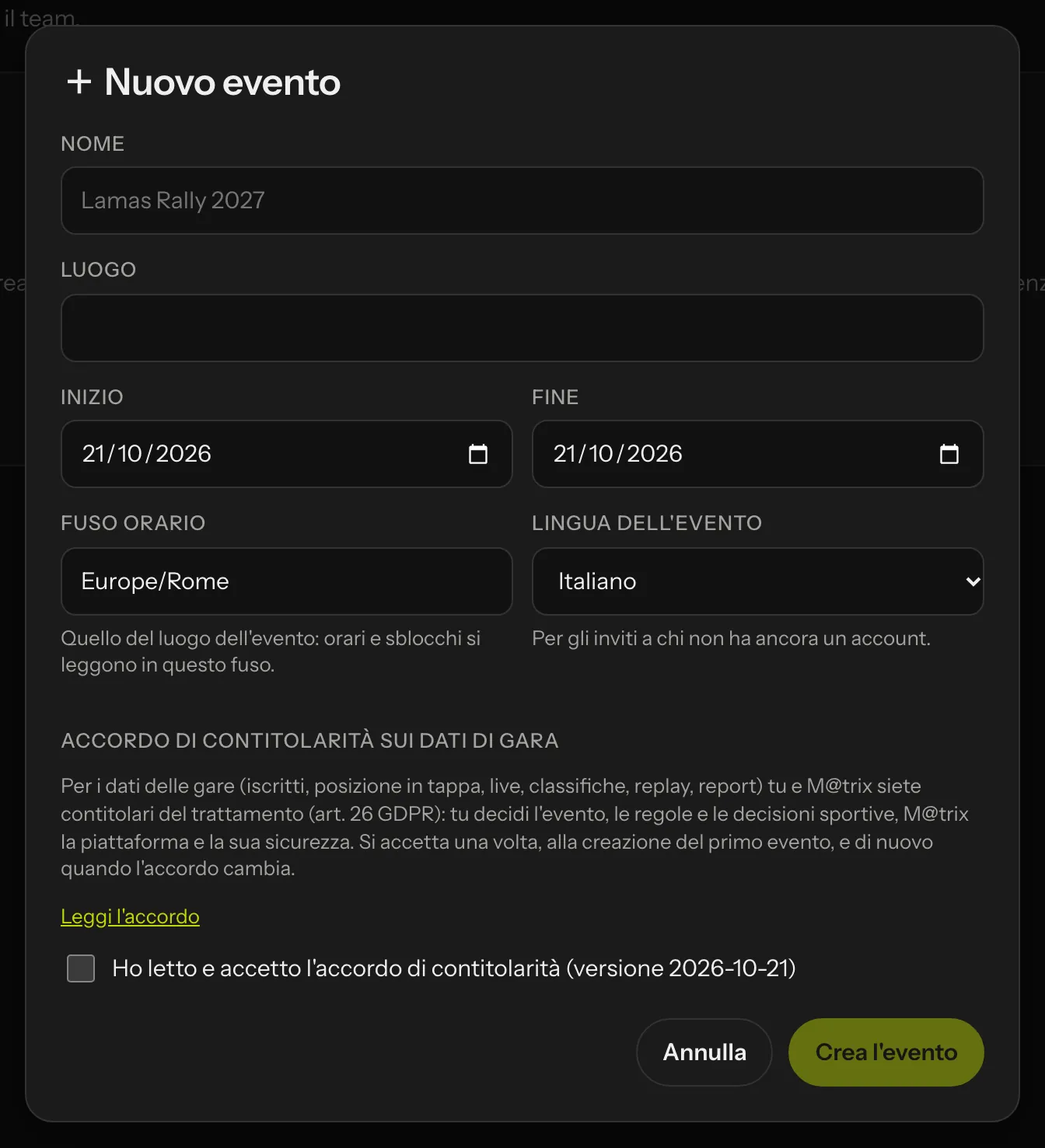 New event: the time zone is the one where the race takes place; at the bottom, the joint controllership agreement.
- The time zone matters: start times, unlocks and results are read in this zone, even if you or the riders are somewhere else.
- The event language is the language of the invitations for people who do not have an account yet; people who already have one receive emails in their own language.
The joint controllership agreement
In a race, the riders' data (entry, position during the stage, live tracking, classifications, replays, reports) are processed jointly by you and M@trix: you are joint controllers (Article 26 GDPR). In short:
- you decide the event, the rules, the sporting decisions and the manual corrections, collect the entrants' data (and the parental consent for minors) and inform the riders through the supplementary regulations;
- M@trix runs the platform, the technical means, security, suppliers and data retention;
- there is a single point of contact for the riders' rights; data breaches are reported to each other within 48 hours.
You accept it once, by ticking I have read and accept the joint controllership agreement in the New event window; Read the agreement opens the text on the Privacy page. The date, time and version of your acceptance are recorded. If the agreement changes, the new version is requested when you create your next event; events already created keep the version you had accepted.
The event opens on the General tab. Along the top are the tabs General, Stages, Entrants, Start times, Race (live), Results, Replay, Rider preview and Change log.
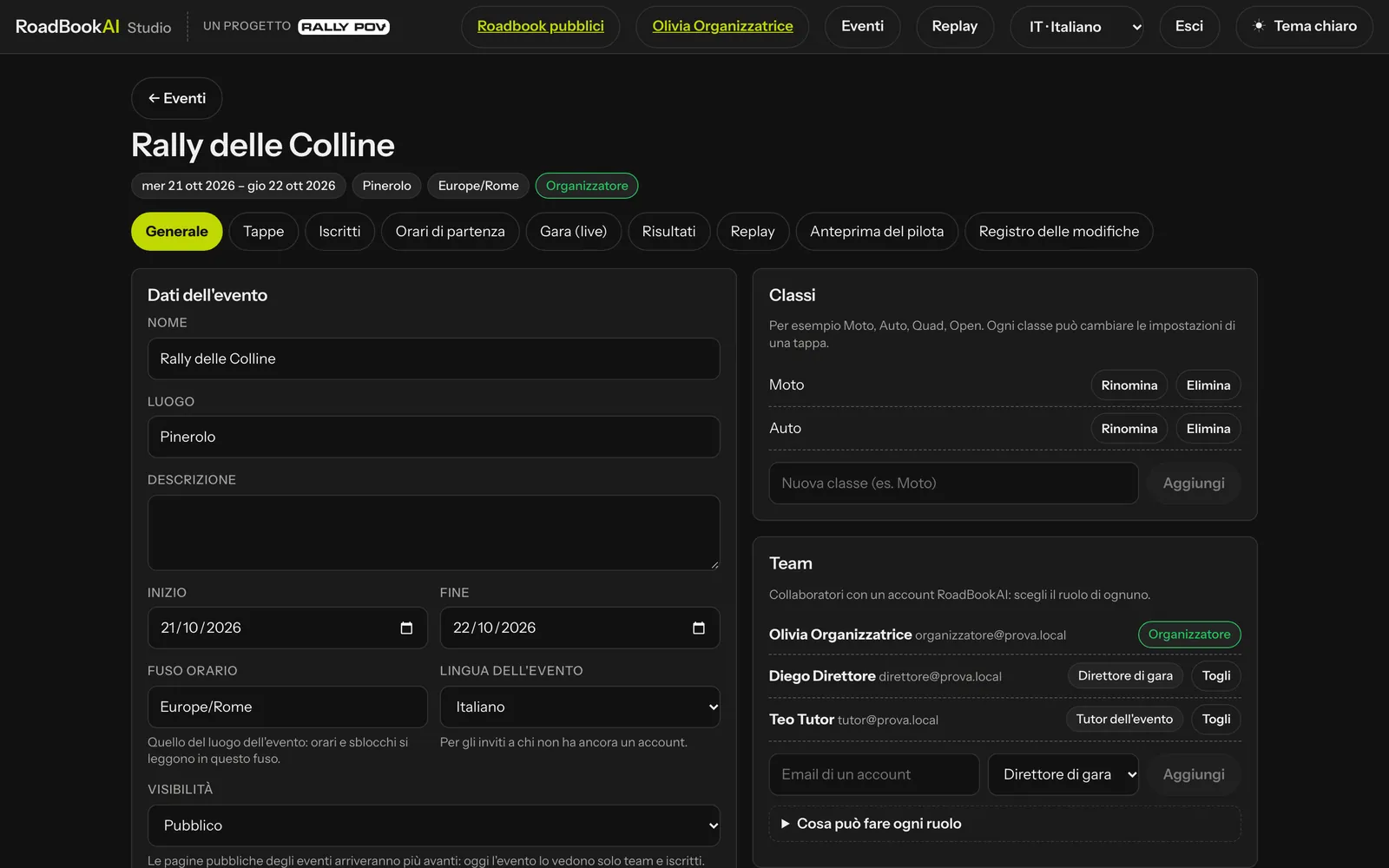 General: event details, classes and team.
Event details
As well as name, place and dates you will find:
- Visibility: Private (only the team and the entrants see it), Unlisted or Public. The public results, live and replay pages are switched on separately, from the Results and Replay tabs.
- Stage unlocking: when the encrypted package is downloaded (default 48 hours before), when it opens (20 minutes before each rider's start) and when it is removed from the phone (12 hours after the end of the stage). Each stage can have its own times.
- Offline map: GPX entrants always receive the stage map; here you decide whether RoadBook riders get it too (default: no).
Retention of race data
The Retention of race data panel tells you when the race data will be deleted: tracks, replays, reports and the decision log are kept for 3 years after the end of the event, then deleted automatically. The event, stages, entrants, start times and classifications remain as long as the event is published. Thirty days before, you receive an email with the link to the export.
Export all event data (ZIP) downloads the complete archive at any time: event, classes, stages, team, entrants and start times, results, corrections, log, comments, a GPX track and the app actions for each ride, and the live positions. If there is a protest, an appeal or a request from an authority, an administrator can mark a dispute in progress: while it lasts, nothing is deleted.
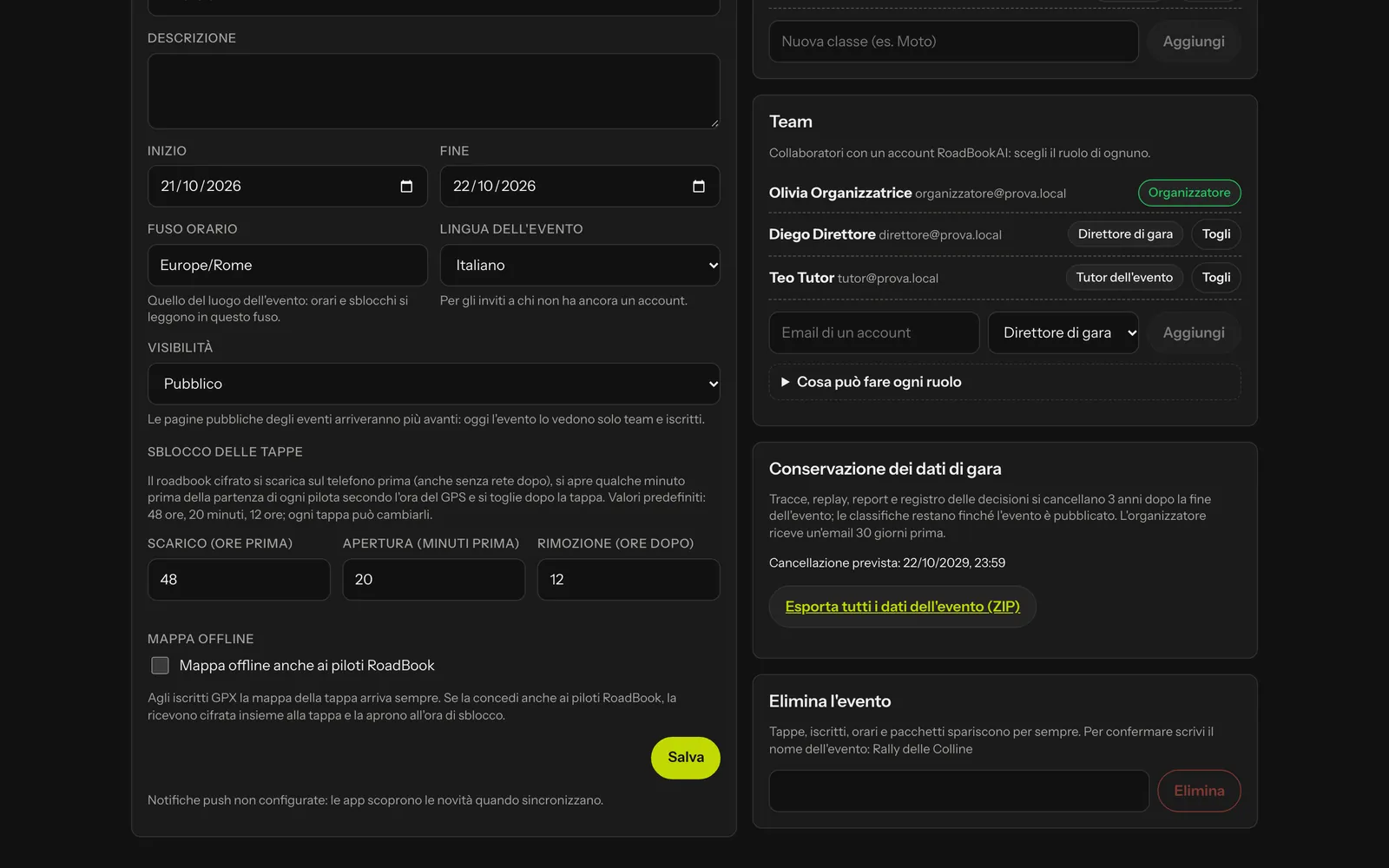 Retention of race data and full export.
Classes
Bike, Car, Quad, Open or whatever you use: you enter them in the Classes panel (or they are created automatically when you upload the entrants). Each class can then have its own settings in each stage.
Team
In the Team panel you add your collaborators with the email of their RoadBookAI account and choose their role:
| Role | What they can do |
|---|---|
| Clerk of the course | details, stages, classes, rules, last-minute versions, entrants, start times; enables and blocks riders; corrections to the results |
| Timekeeper | sees everything and sets the start times |
| Event tutor | sees everything and comments on the riders' replays |
| Read only | sees everything, changes nothing |
Only you, as the organiser, manage the team and delete the event. People who are not part of the event cannot even see it.
Stages
At the top of the Stages tab there are also Event rules (the start rules for every new stage, which you can apply to all stages) and Rules profiles (see Organiser profiles). Then press + New stage: name, date, type (Prologue, Selective section, Liaison), start (Standing, Rolling, Open rolling), maximum time, general speed limit, whether it counts towards the overall classification and whether the offline map also goes to RoadBook riders (Same as the event, yes, no).
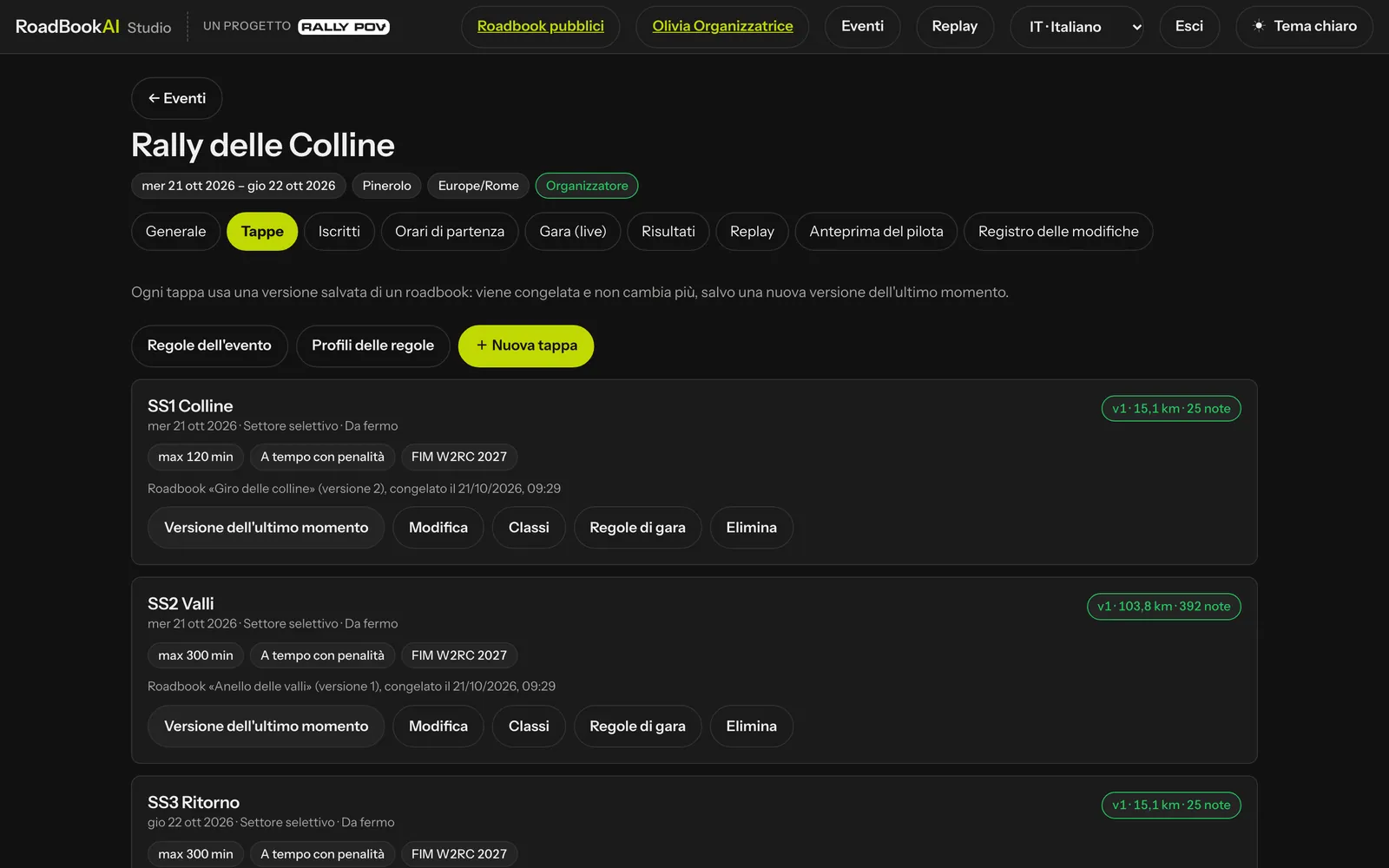 Each stage shows the frozen roadbook, the version, the km and the notes.
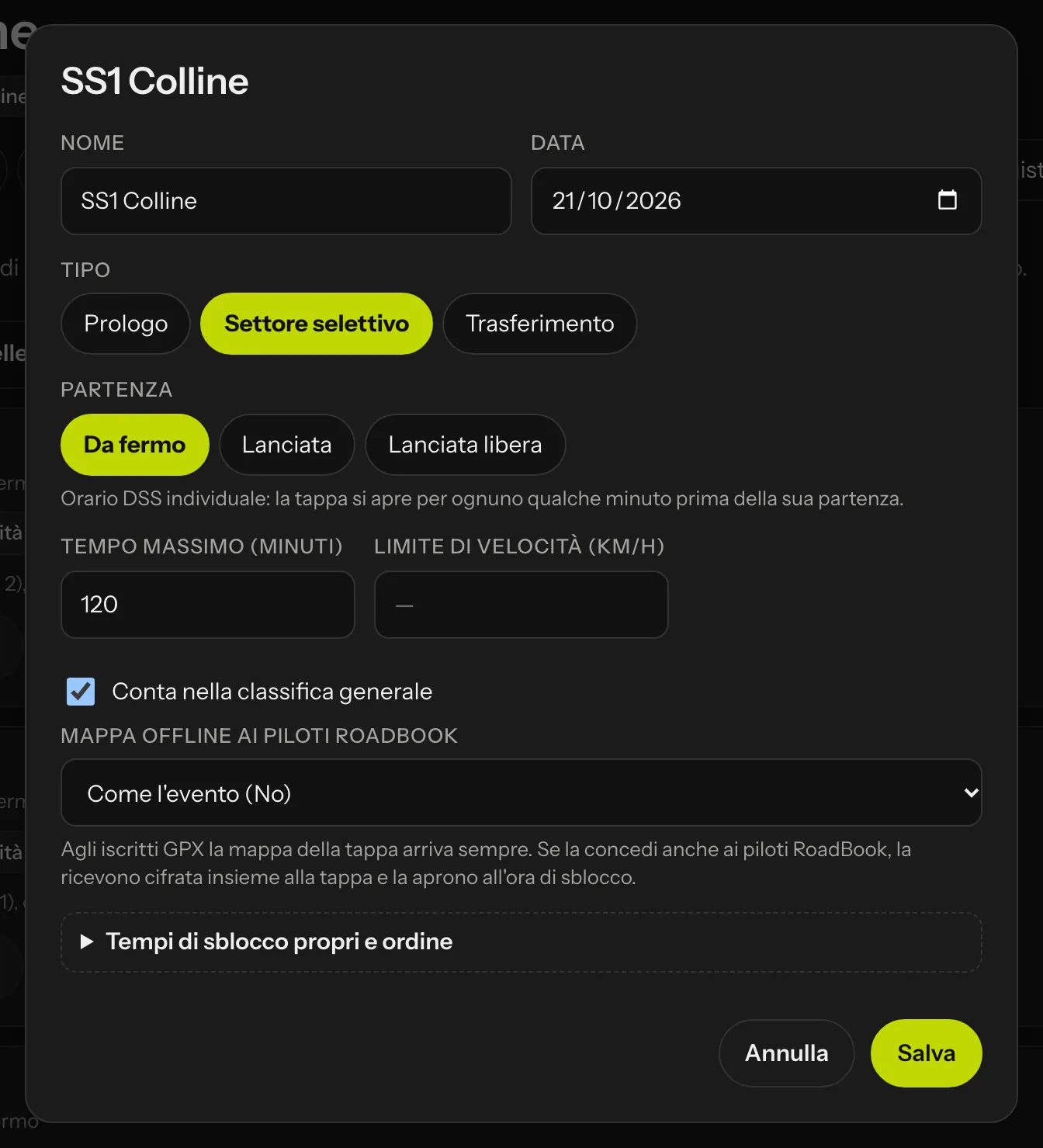 The stage settings.
The type of start decides how time is measured:
- Standing: each rider has their own time at the DSS; the stage opens for them a few minutes before.
- Rolling: there is a start window (for example 60 minutes) and timing starts when the rider passes the DSS.
- Open rolling: riders start whenever they like during the day, timing starts at the DSS.
Freezing the roadbook
Each stage needs its roadbook. Choose a roadbook from the Studio (yours, or shared with you with edit permission) and one of its saved versions: it is copied into the event with a checksum and from then on it never changes, even if you keep working on the draft in the Studio. The stage panel tells you which roadbook, which version and when it was frozen.
Before freezing, check the waypoints: DSS and ASS mark the boundaries of the section, and the radii and penalties are the ones the app will use and the service will check.
Settings by class
Classes opens a table with one row per class: whether the class runs the stage, type of start, time or window, maximum time, speed limit, whether it counts towards the overall classification and the off-course alarm. Empty fields stay as the stage.
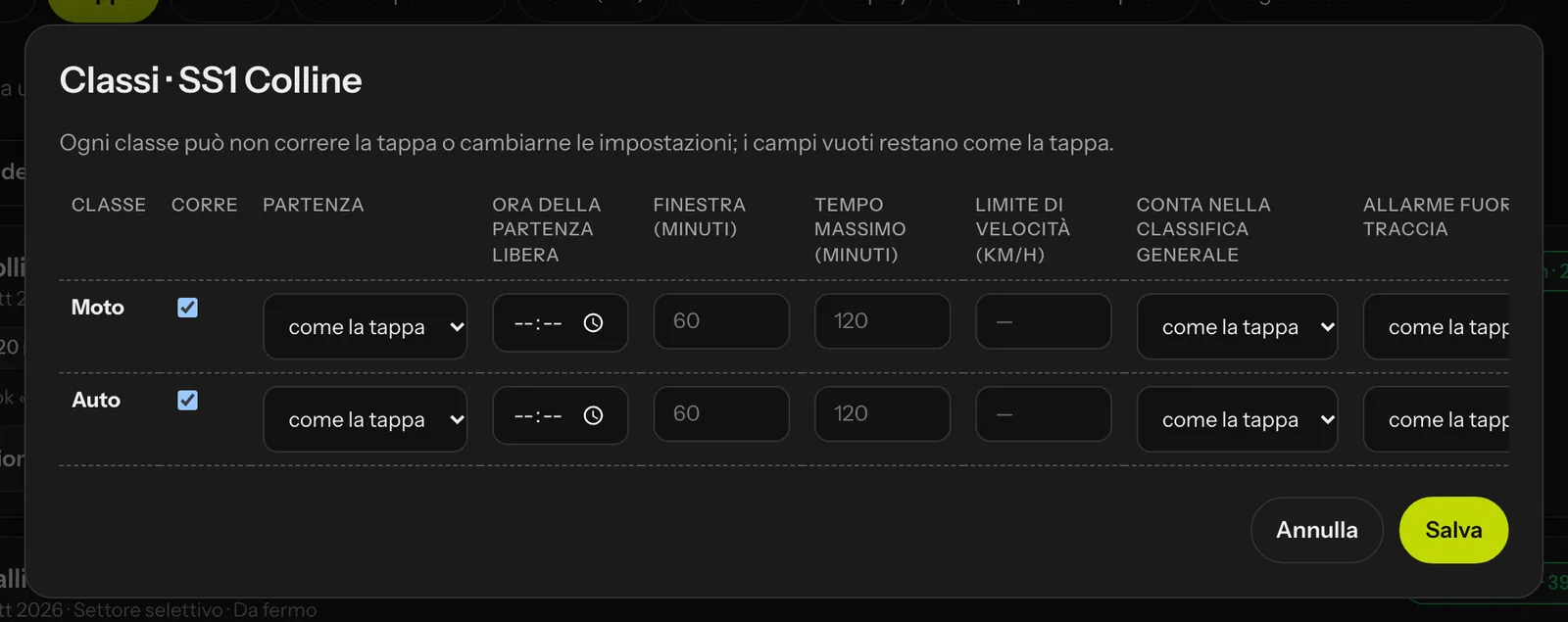 Each class changes only what it needs to.
Last-minute version
A closed track, a river in flood, a note to correct the evening before: in the Studio you correct the roadbook and save a new version (the changed notes get MODIF and NEW NOTE automatically). Then, in the stage, press Last-minute version, choose the version and enter the reason (for example "MODIF note 41: track closed, detour to the right").
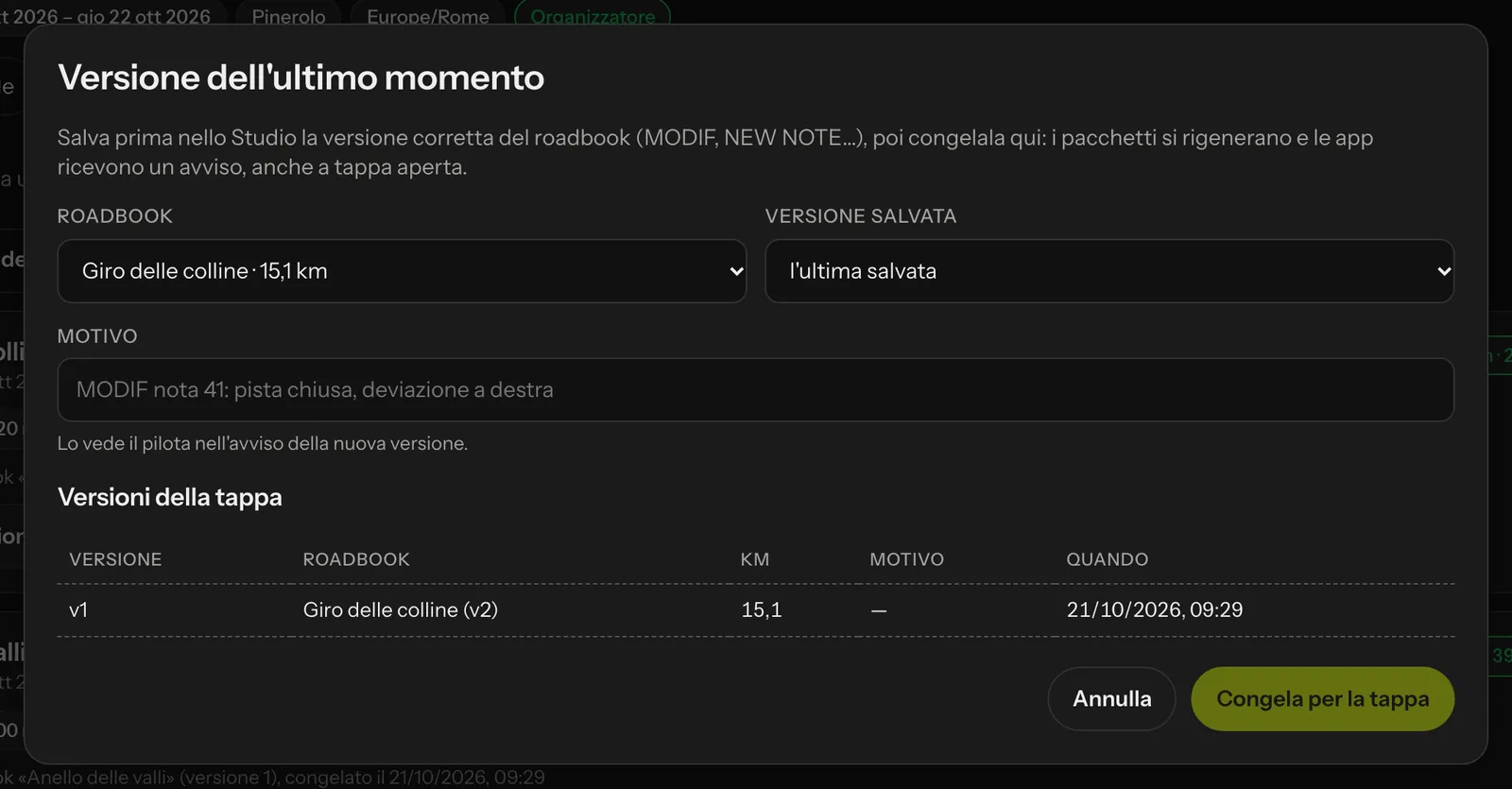 The rider reads the reason in the notice.
When you press Freeze for the stage:
- the riders' packages are regenerated;
- the apps receive a notice with the reason and the list of changed notes;
- if a rider has already opened the stage, the notice appears in the cockpit with Apply now or Later: when it is applied, odometer, validated waypoints and stopwatch stay where they are.
The Stage versions history stays in the window.
Change log
Every change to the event, the stages, the entrants, the start times and the results goes into the Change log, with who made it and when. It is the reference when, after the race, someone asks "who changed that start time?".
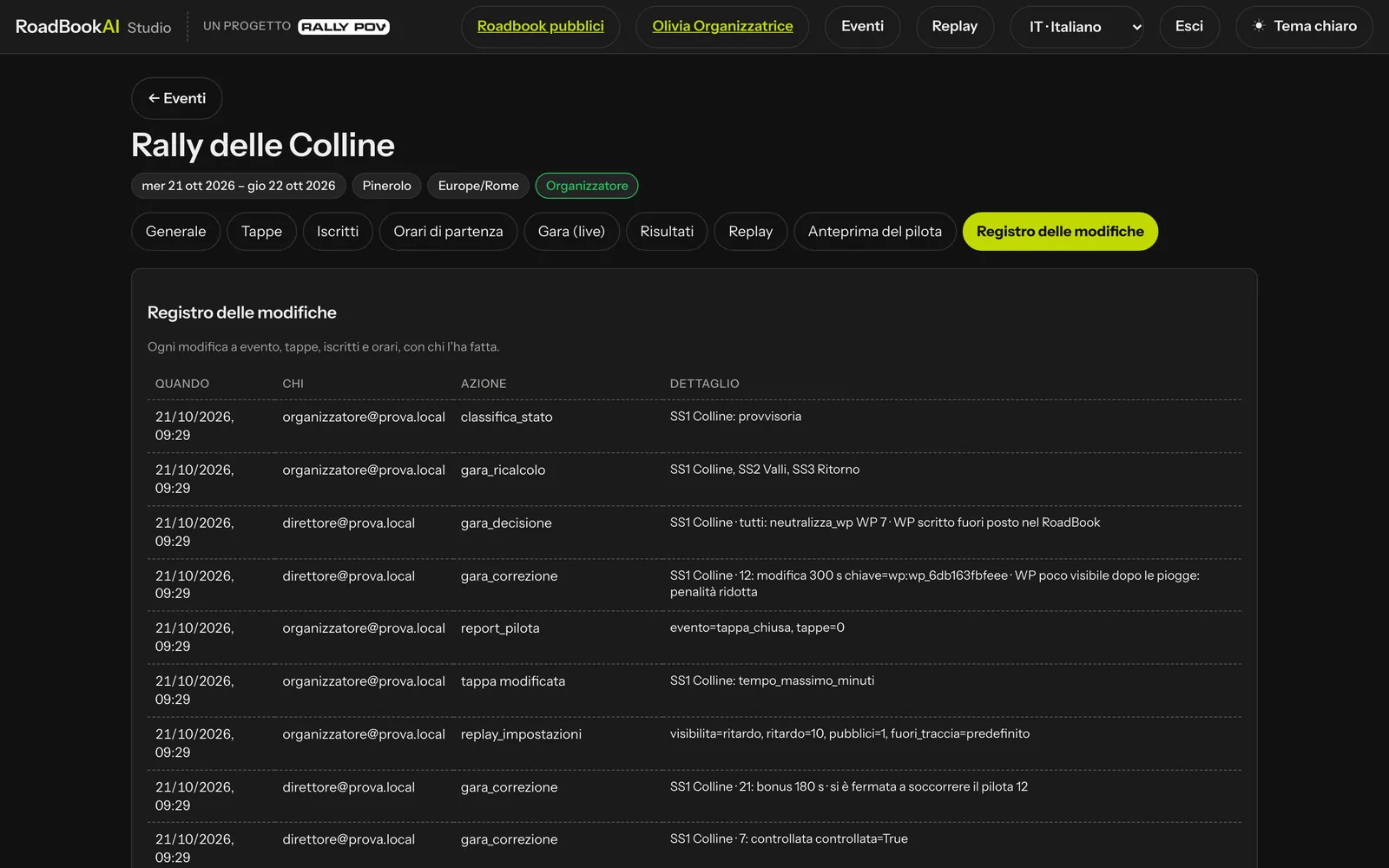 The log: time, author, action and detail.