

The rider app
Racing with the app
For riders entered in an event - My events, GPS time, the encrypted package that opens by itself at the right time, last-minute versions, the stage rules in the cockpit, live position, retirement and data sending.
When an organiser enters you with your account's email, the event appears by itself in the app under My events. You do not have to download files or look for links: the stage reaches your phone, encrypted, and opens at the set time.
My events
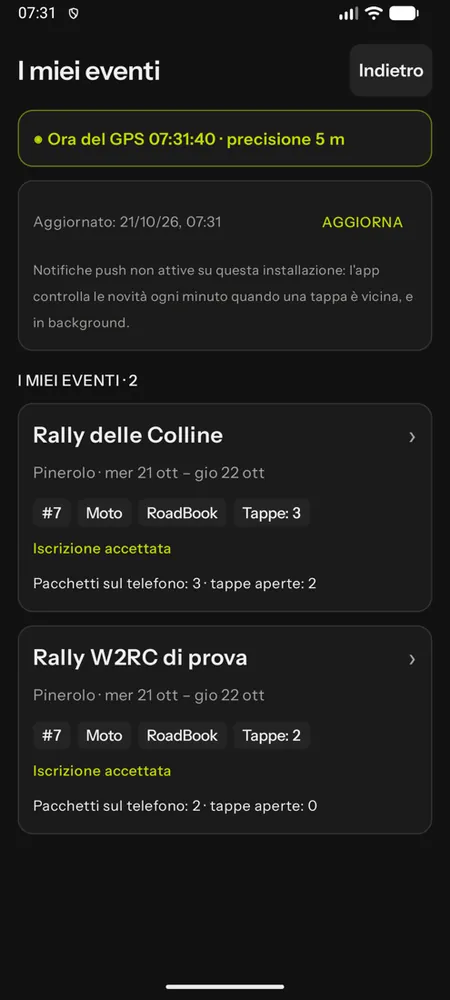
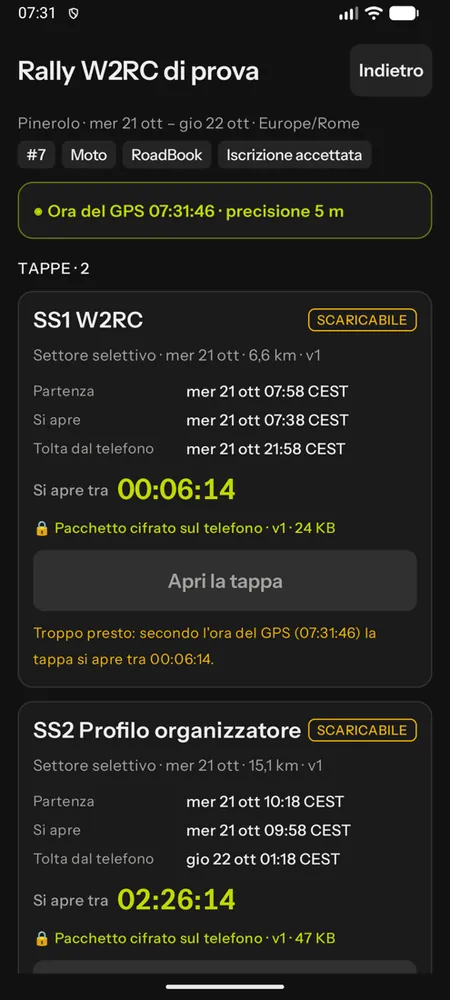
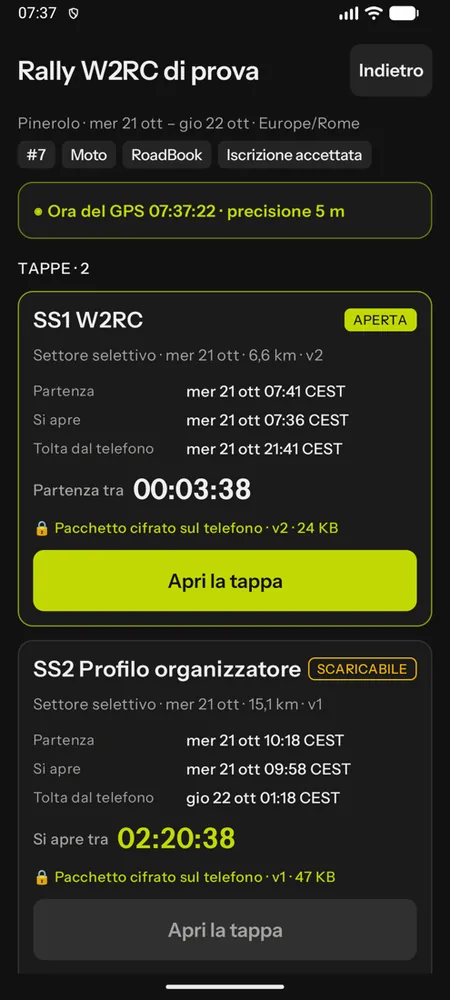
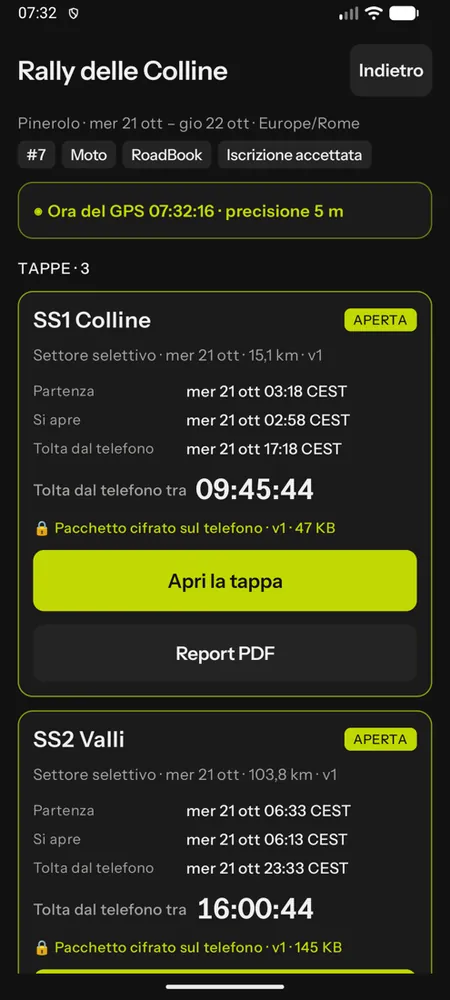
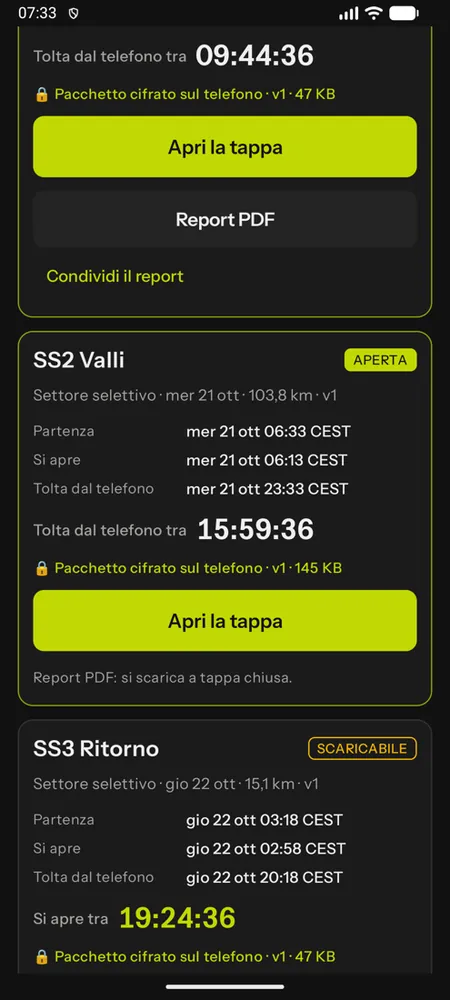
At the top is the GPS time with its accuracy, or the reason it is missing (no fix, old or inaccurate fix, simulated location, location not allowed) and a warning if the phone clock is ahead or behind. Then your events: race number, class, RoadBook or GPX and entry status.
Each stage has a status:
| Status | What it means |
|---|---|
| locked | with the reason: entry not accepted yet, no start time assigned, locked by the clerk of the course, your class does not run this stage |
| downloadable | the encrypted package is already on the phone (or downloads as soon as there is a network connection), but does not open yet |
| open | Open the stage is lit |
| closed | the stage is over: package and key have been removed from the phone, the replay remains |
With the times in the event's time zone and a countdown: downloadable in, opens in, start in, removed from the phone in.
GPS time
The stage opens only when the GPS time reaches the opening time (usually 20 minutes before your start), even without a network connection. The phone's time does not count: changing the clock opens nothing, and with a fake GPS app stages do not open. Before the start, keep the phone outdoors under a clear sky for a few seconds: the app gets a fix and the button lights up. If you try too early, the app tells you: "Too early: by the GPS time the stage opens in…".
Sync and notices
The app checks for news when you open My events, when the network comes back, every minute if a stage is close and in the background; with push notifications, where they are on, news arrives straight away. Expired packages, locked stages or events you have been removed from are deleted from the phone, with the reason.
Last-minute version
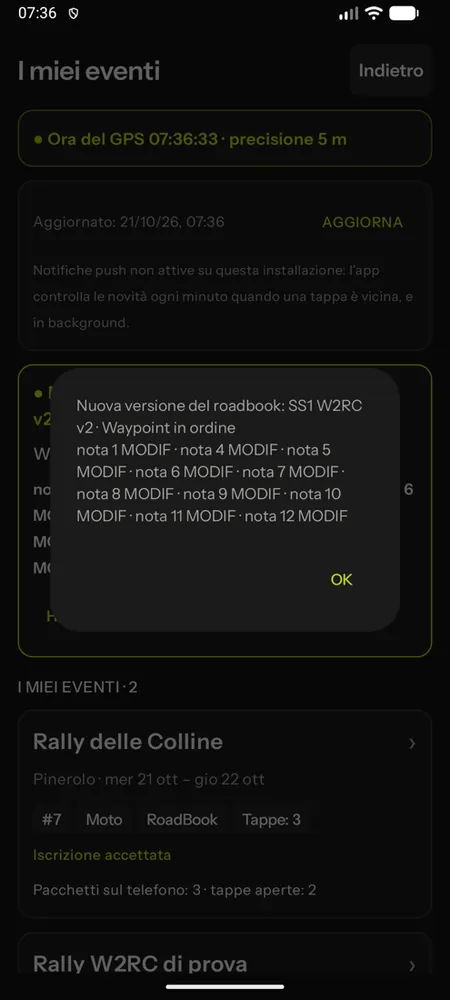
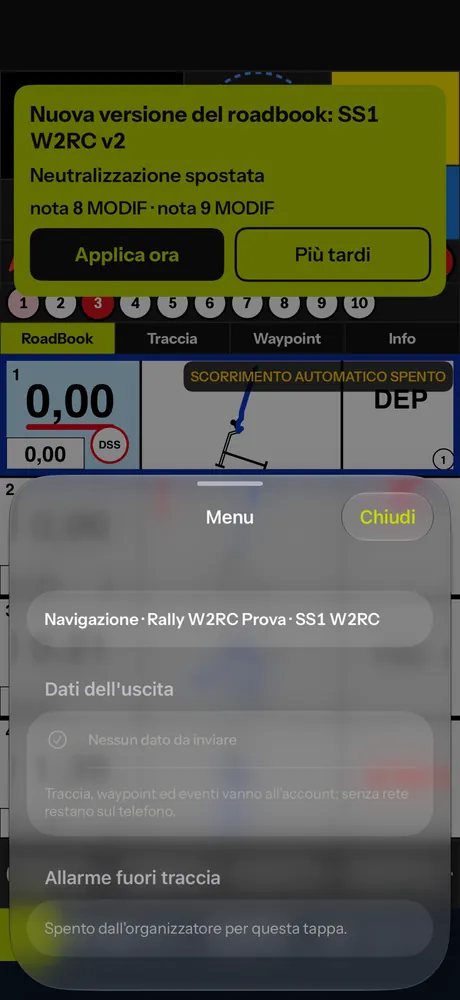
If the organiser corrects the roadbook, a notice arrives with the reason and the changed notes ("note 5 MODIF · note 9 NEW NOTE"); in the RoadBook the changed notes carry MODIF or NEW NOTE. If the stage is already open, the notice appears in the cockpit with Apply now or Later: when it is applied, odometer, partial, validated waypoints and stopwatch stay where they are.
In the cockpit, during the stage
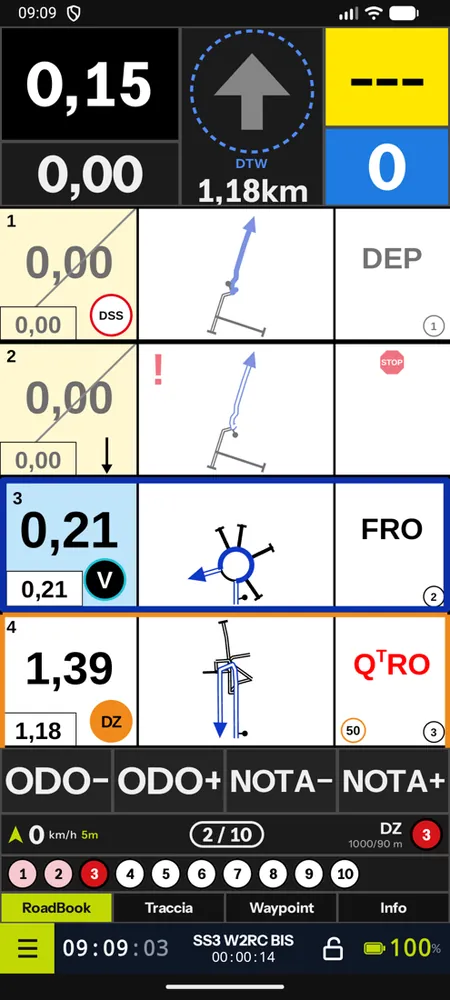
The stage roadbook is never written in clear on the phone: it is opened in memory. The arrow starts on the first waypoint to take; the data you send are signed by the phone. The cockpit applies the stage rules and those of your class: waypoint radii and penalties, zone alarm and tolerances, the class speed limit ("LIMIT 110 km/h"), race STOP, neutralisations with exit area and GO, off-course alarm if the organiser provides for it. The penalties you see in the Info panel are indicative: the service's calculation is what counts.
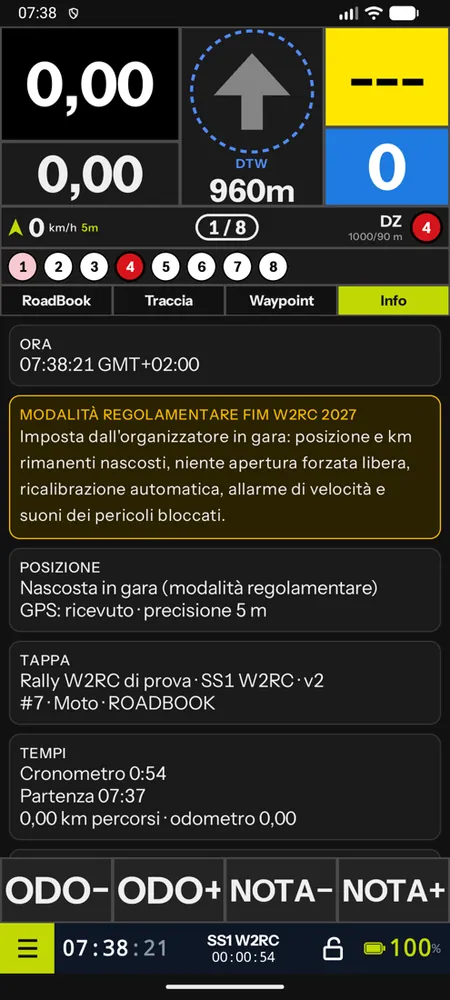
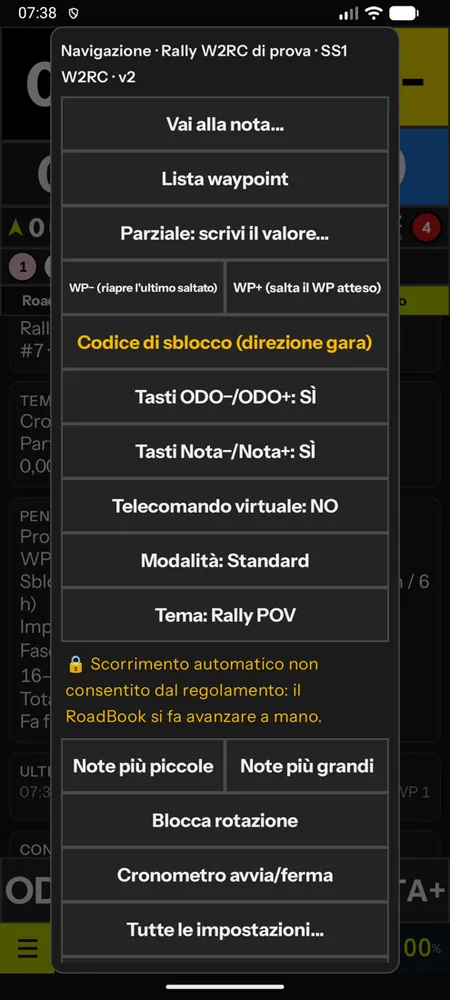
With the FIM W2RC 2027 regulations the app switches to regulation mode: the RoadBook is moved forward by hand only (automatic scrolling is off), no coordinates or remaining km on the screen, no map with the track (unless the organiser provides it), recalibration at waypoints, speed alarm and danger sounds locked as the regulations require. The Info panel says so, with the rules profile and the indicative penalties; the locked items appear in the settings with the reason.
A waypoint you cannot find
It depends on the race regulations:
- forced opening allowed: long press on the arrow; the arrow guides you, the WP counts as missed (with a single or double penalty, depending on the race);
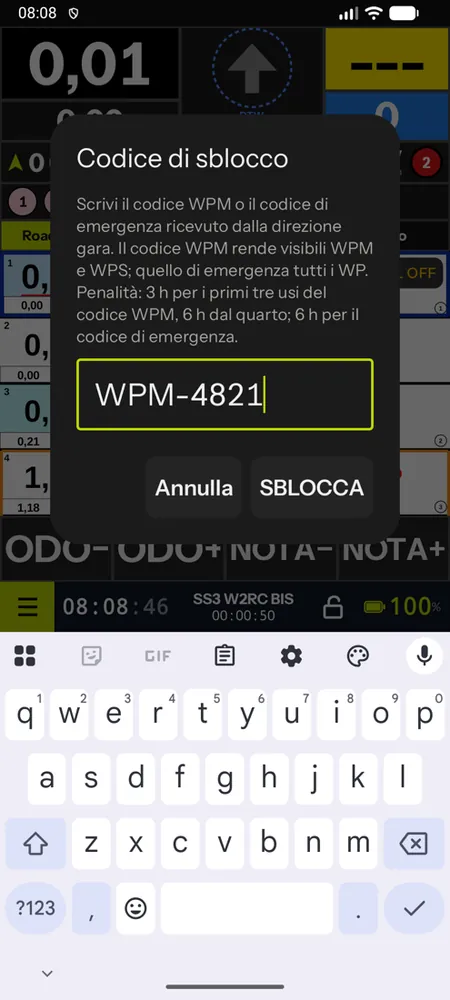
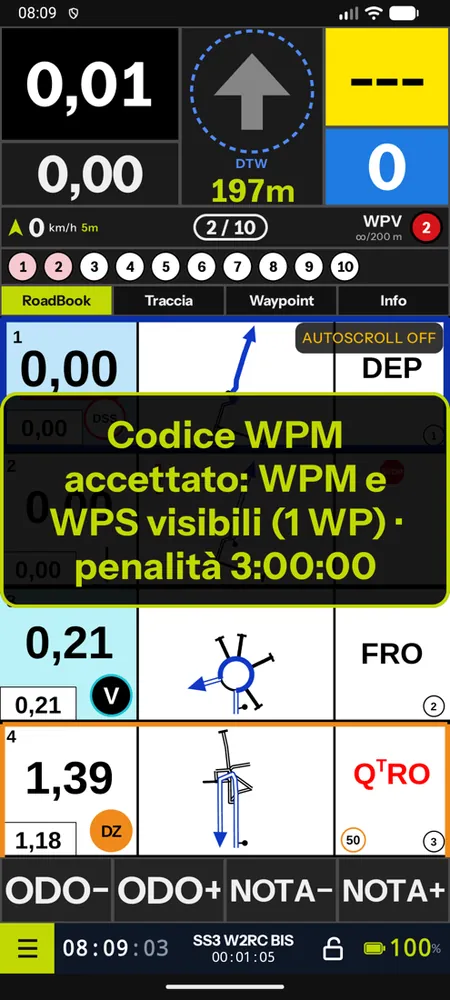
- unlock codes (FIM W2RC 2027 regulations): ask race control for the code and enter it in Unlock code (race direction) (from the menu; on iPhone also with a long press on the arrow). The WPM code makes WPMs and WPSs visible (3 hours of penalty for the first three uses in the event, 6 hours from the fourth), the emergency code all waypoints (6 hours). A wrong code is rejected; unlocked WPs are validated by GPS;
- not allowed: the app does not offer opening and tells you so.
LateNote
In a race the app shows nothing about the RoadBook falling behind: it only records LateNote episodes, which the organiser sees and, if they have decided so in the supplementary regulations, penalises. The rule is simple: keep the RoadBook level with the road, even when there is another rider or an obvious track ahead of you. The dangers are written in the notes, not on the wheel of the rider in front. The reason is explained in Stage rules.
Live position and data
With a network connection the app sends your position to race control every 10–30 seconds; the full track is sent in batches every two minutes and in any case at the end of the stage. Without a network the data waits on the phone and is sent automatically. You can use two devices (main and backup) or change device during the stage: the service merges the tracks.
Retiring
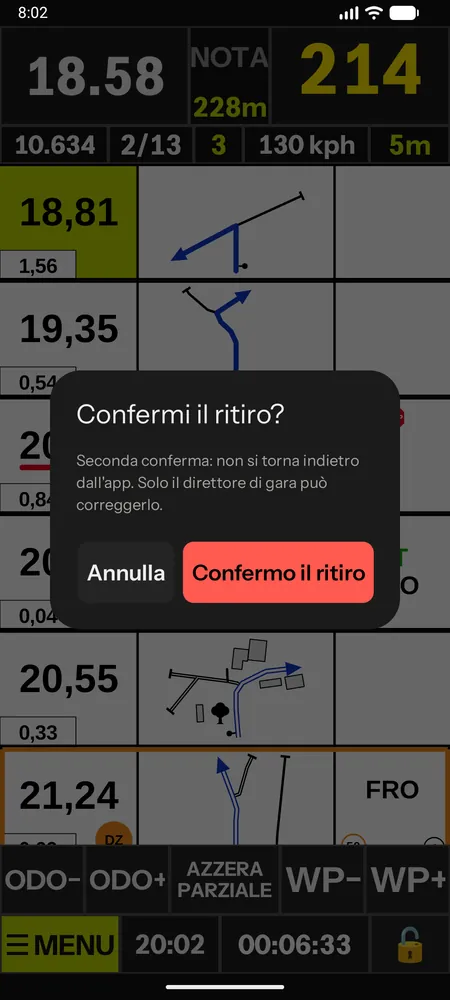
From the cockpit menu, RETIRE: an optional reason and two confirmations. The retirement goes to race control with the stage data and navigation ends; it cannot be undone from the app, only the clerk of the course can correct it.
After the stage
At the end of the stage the summary gives you times, waypoints and speeding; the official results are published by the organiser. After 12 hours (or the times set for the event) package and key are deleted from the phone. Your replay stays in the app and in the Studio, and the other riders' replays can be seen according to the rule chosen by the organiser (see Training and replay).
If the organiser allows it (once the stage is closed or after the final results), you download your PDF report: times, KM EXTRA and KM CUT, off-course episodes, waypoints, stops and speeding, with the race control decisions (calculated and decided value, reason). PDF report is under the stage in My events and in the Replay list; it opens in the phone's viewer and can be shared. When it is not available yet, a line says why ("PDF report: available once the stage is closed"); if the organiser does not allow it, the button is not there. You will also find it in your personal area on the website, under My races.
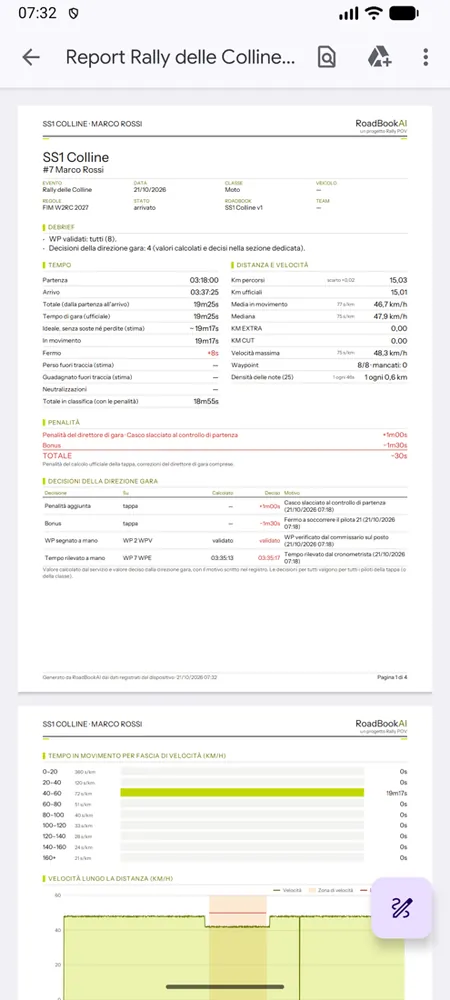
In your replay of the stage the Decisions tab lists the race control decisions that concern you, and a tap takes you to the spot (see Training and replay).