

After the review
Export
RN2, the format most widely used by roadbook apps and software, PDF Dakar to print, OpenRally GPX for navigation apps and the RoadBookAI file for the Android and iOS app.
Press Export in the editor bar. You export the version that is open: the draft with the work in progress, or a saved version, exactly as it is.
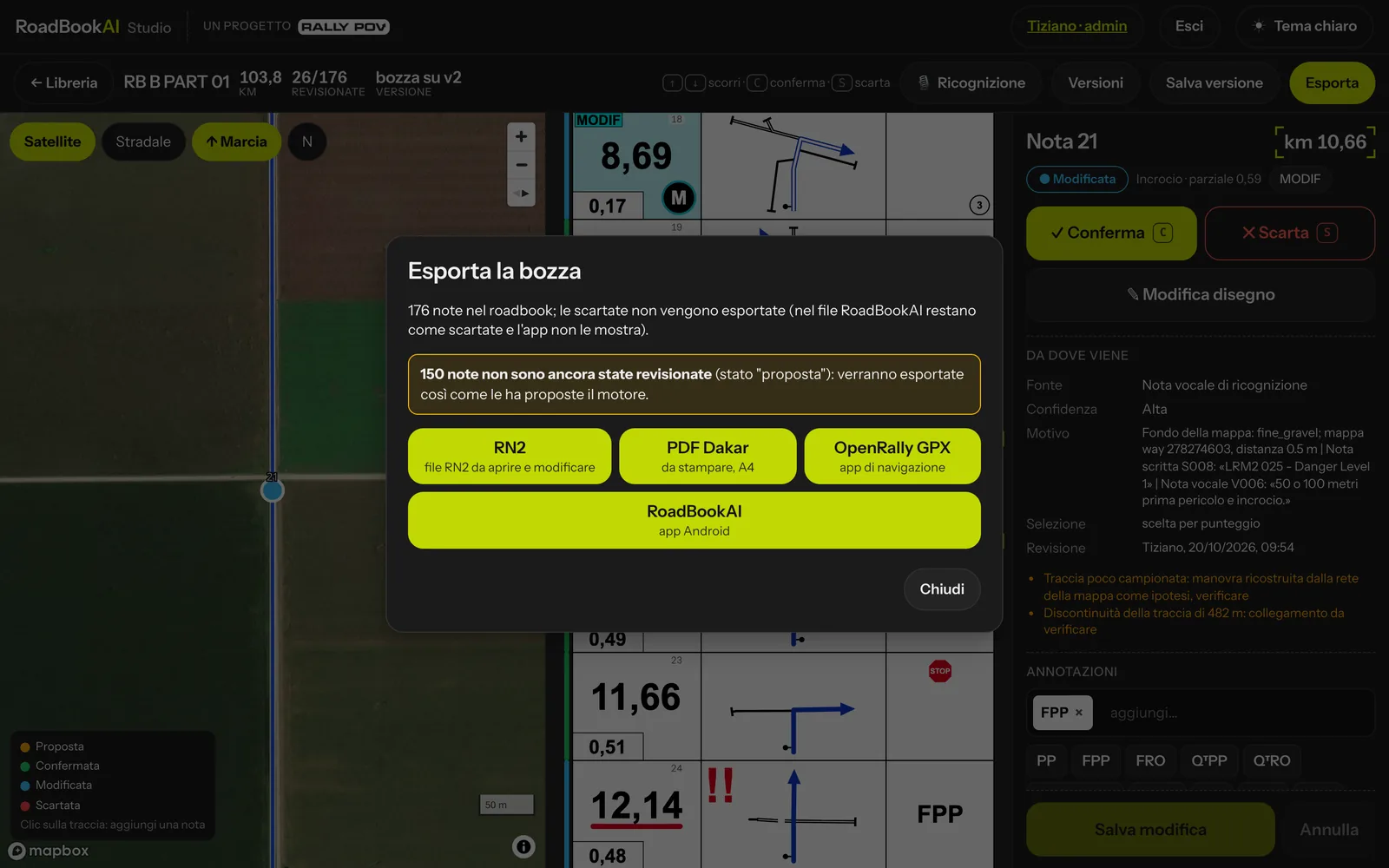 The Export window.
The window tells you how many notes there are and, if some are still in the proposed status, that they will be exported exactly as the engine proposed them. Rejected notes are not exported, except in the RoadBookAI file (see below).
RN2
The format most widely used by roadbook apps and software (version 4), ready to open and fine-tune.
- every point of the track, with the notes at the right km;
- editable drawings: arrival and exit lines with their surface, the roads for branches and bends;
- every icon, including those exclusive to RoadBookAI, with their drawing;
- the CAP of every note;
- waypoints with their radii;
- hand drawings, MODIF and NEW NOTE.
PDF Dakar
The roadbook to print on A4, with the Dakar layout:
- five notes per page, km / drawing / annotation columns;
- large total km and partial in its frame;
- CAP in yellow, dangers in red with the km underlined;
- coloured background in the km frame for waypoints, with their badge;
- orange frame between DZ and FZ;
- "Next" and "Danger" at the foot of the page.
OpenRally GPX
The open format read by navigation apps (version 1.0.3, validated against the official schema):
- one point per note with distance, CAP, danger;
- markers for waypoints and controls (
dss,ass,wpm,wpe,wps,wpc,wpv,wpp,wpn,dz,fz,checkpoint,dn,fn,dt,ft) with opening and validation, speeds and neutralisations; - the drawing and annotations of every note as images inside the file;
- the complete track.
RoadBookAI — Android and iOS app
The native .roadbook.json file (named <roadbook>_v<version>.roadbook.json), schema roadbookai.roadbook.v1: it is the whole roadbook, with vector notes, waypoints, zones, hand drawings, MODIF and NEW NOTE. Before it goes out, the file is read back and checked, so your navigation device always receives an intact file. Rejected notes stay in the file as rejected and the app does not show them.
It is the format of the RoadBookAI app, on Android and on iPhone and iPad: unlike OpenRally, the app draws the notes as vectors instead of showing images of them.
Getting it onto your navigation device
The simplest way needs no file: sign in to the app with your account and the roadbook appears under My roadbooks as soon as you save a version in the Studio; one tap on Download and it works offline too. For events the roadbook arrives by itself, encrypted, under My events.
If you prefer the file, or for a device without an account:
- Send the file to your navigation device however you like: Google Drive, WhatsApp (even to yourself), email, AirDrop or USB cable.
- On the device, tap the file and choose Open with → RoadBookAI, or open the app, tap Import roadbook and choose the file.
The app confirms the import with the number of notes and waypoints.